Attackers are turned away before the login form loads
The address is checked against what the network has already seen. Someone who was hammering a site in Rotterdam an hour ago never reaches a password prompt here.
Every attack on one site in the network protects all the others. Sixteen sensors, a firewall and four ways to do two-factor login, in a plugin that is free and open source. Built and hosted in Germany.
Someone tries to break into a website in Rotterdam. Ninety seconds later that same attacker is blocked on a site in Lisbon that has never seen them before.
That is the whole idea. When a site running our plugin, a honeypot (a fake site that exists only to record who attacks it) or a firewall gets attacked, it reports the attacking IP address. Every other site on the network gets that address straight away. About 803,000 addresses are known this way, from 7.2 million reports. The more sites join, the earlier each one sees an attacker coming.
You get that knowledge in two shapes: Hive, a plugin that does it for your WordPress site, and the agent, which does it for the Linux server underneath.
Install the plugin, run the quickstart, and it works. Free forever in Local Shield mode, on as many sites as you like.
The address is checked against what the network has already seen. Someone who was hammering a site in Rotterdam an hour ago never reaches a password prompt here.
Failed logins, password spray, comment spam, XML-RPC, scanners and bait paths are each detected separately. An address that keeps trying is blocked for longer every time, instead of being released after a fixed number of attempts.
Authenticator app, e-mail, SMS or a hardware key. The reset link sits behind the same check, so a stolen mailbox is not a way around it.
For hosters and admins who run web, mail, FTP and DNS on the same machines. The agent puts the community blocklist into the kernel firewall and reports the attacks it finds in the logs your server already writes. One static binary, one command to install.
Thousands of addresses that attacked other servers this morning are dropped in ipset or nftables before their first attempt reaches you. Five sets by service, so an address known for attacking mail servers is blocked on your mail ports and nowhere else.
Thirteen log sources across web, mail, FTP, DNS and the control panel. The installer finds them itself and writes the configuration. Every local find is reported, so the next operator is spared it.
A report is an address, a threat category and one generated sentence. No log line, no user name, no request body, no URL. The host starts in log mode, so you read for a week what would have been dropped before anything is.
One server is included from Professional, three with Business. Further servers are a monthly licence, and servers do not count against your domains. View pricing.
The protection is free forever. Professional covers three WordPress sites and one Linux server, Business fifteen sites and three servers. The full feature comparison is on the pricing page.
Local protection, free forever
Solo developers and small sites
14-day money-back guarantee. Cancel anytime.
Agencies, WooCommerce, white-label
14-day money-back guarantee. Cancel anytime.
Includes Contributor and Enterprise tiers plus the full feature comparison table.
The Professional plan works out at 4.97 € per domain per month. Wordfence, Solid Security and WP 2FA charge around 8.30 € for a single domain, and none of them include mail or SMS delivery. See the full comparison.
Just need the data, not a product? The same list is available as a REST API, a blacklist feed and a DNS/RBL zone for mail servers, with 1,000 checks a day for free. See all products.
Free, no signup required. Find out whether the network has seen this address attacking anyone, how often, and where it comes from.
Every IP that gets reported is scored, weighted, and made available through the public API and blacklist feed. These numbers update in real time. See the latest WordPress Attack Report for the full quarterly breakdown.
The 10 most recently flagged IPs with a confidence score of 50 % or higher, straight from the community network. Updated every few minutes.
 GB4 reports
 DE13 reports
 US1,400 reports GB107 reports US6,464 reports US7,889 reports GB4 reports
 BG2,142 reports
 CN32 reports US78 reports
Common questions about the plugin, the agent and the platform. Plugin-specific questions live on the plugin page; the full FAQ is at /docs/support/faq/.
The Hive WordPress security plugin is free and open source under GPL-2.0, with all 16 attack sensors, the Web Application Firewall and four-method two-factor authentication. Hive PRO is an optional subscription on top: it connects your sites to the managed, EU-hosted 2FA relay for SMS and e-mail codes, no Twilio account, no API keys, with 25 SMS and 500 e-mails per month included, and one licence covers three domains and one Linux server. Agencies and shops with more sites take Business, which covers fifteen domains and three servers. The plugin itself stays free; the paid plans only add the managed services. See the pricing page for current plans.
Three differences. First, nothing is held back: all 16 sensors, the firewall engine and the full 2FA suite are free in every mode, while Wordfence delays new firewall rules for free users by 30 days. Second, two-factor codes by e-mail and SMS are delivered through our EU relay with its own SPF, DKIM and DMARC reputation, so a code arrives even when your shared host’s mail does not, and no Twilio account is needed. Third, the whole service is built and hosted in Germany under EU data-protection law, with a data-processing agreement on offer. Wordfence remains the better answer if you need malware scanning of your files, which Hive does not do. See the full Wordfence comparison.
The ReportedIP Agent is a single static binary for Linux servers. It downloads the community blocklist and keeps it in your kernel firewall as ipset or nftables sets, split by service, so an address known for attacking mail servers is dropped on your mail ports only. At the same time it watches the logs your server already writes, thirteen source types across web, mail, FTP, DNS and the control panel, and reports the attacks it finds, so the next operator is spared them. It sends the address, the threat category and one generated sentence, never a log line, a user name or a URL. One server is included from Professional, three with Business; further servers are a monthly licence. The host starts in log mode, so you can read for a week what would have been blocked before anything is.
Yes. ReportedIP is operated by a German company (CMS ADMINS, Munich) and all processing runs on German infrastructure under EU data-protection law (GDPR). Every sub-processor is EU-based: the managed reportedIP mail / SMS relay, Stripe Payments Europe (Ireland) for billing, and sevDesk (Germany) for invoicing. No personal data leaves the EU, and a data-processing agreement is available for business customers. IP addresses in reports are handled as the minimum necessary for the security purpose and aged out over time. For teams with a compliance requirement to keep threat-intelligence data inside the EU, this is the core reason they pick ReportedIP over US-hosted alternatives.
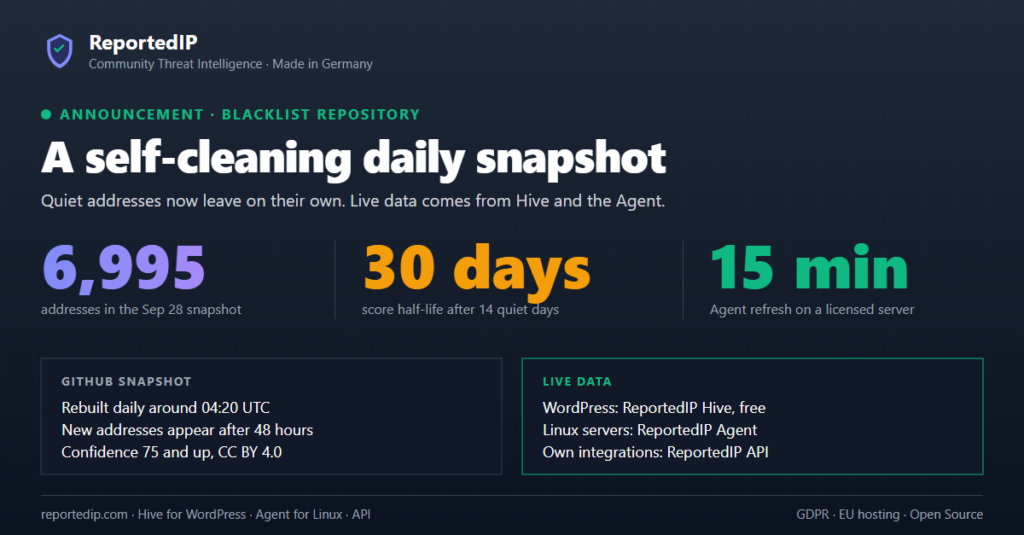
Every IP carries a confidence score from 0 to 100 that estimates how likely it is to be malicious. Five weighted components feed it: the number of reports, reporter diversity (independent sources count for more than one noisy reporter), recency (reports under 24 hours old weigh most), the severity of the threat category, and a bonus for reports confirmed by verified honeypots. Reports decay exponentially on a 30-day half-life, after 30 days a report carries half its weight, after 60 days a quarter, so an IP that stops attacking is delisted automatically. An IP needs at least five reports to exceed 50 and ten to pass 75. Add verbose=true to any check to see the full breakdown.
No. The IP check on this page is open to everyone and needs no signup; it is rate-limited to 100 lookups per IP per day to keep it free and abuse-resistant. That is enough for occasional manual checks when you spot a suspicious address in your logs. For programmatic access, scripting, automated ban actions, bulk work or anything that runs on a schedule, create a free account, which raises the limit to 1,000 checks and 50 reports per day and gives you an API key plus a usage dashboard. Higher tiers lift the quotas further and add bulk endpoints and multi-site management.
Get Hive for your WordPress site, get the agent for your Linux servers, or create a free account for the API. No credit card, no commitment.
Aggregated, anonymised attack origins from honeypots, sensors, and contributors worldwide. Refreshed every 30 minutes.
Release notes, threat-intelligence reports, and practical security guidance from the team that runs the network.