Protect Your Web Server With a Live IP Blacklist
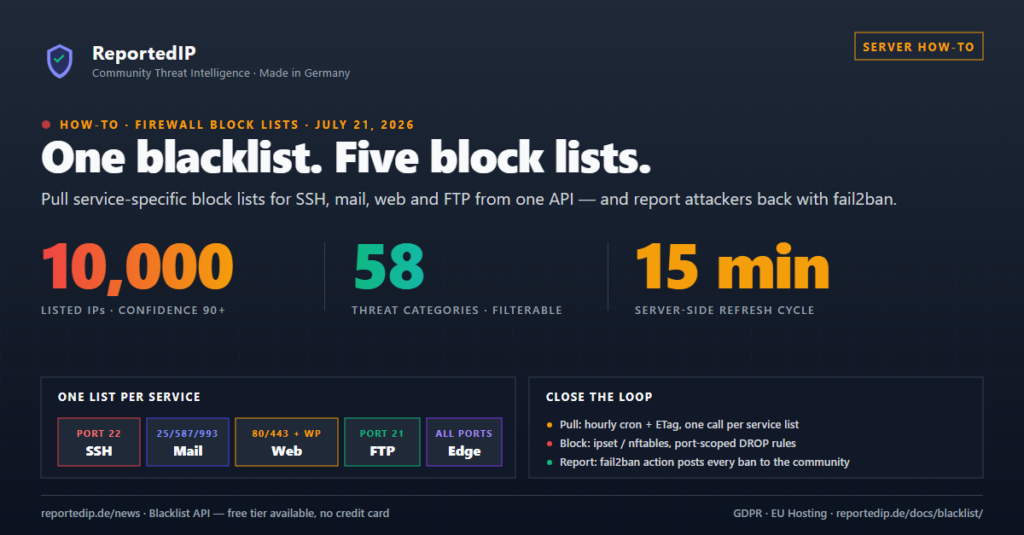
To protect a web server with a live IP blacklist, pull one ReportedIP list per exposed service, load it into an ipset or nftables set and match each set only on the ports of its service. On September 29, 2026 the community database tracked 799,893 IP addresses across 7,194,829 abuse reports, and 4,173 of those addresses scored 90 or higher, the level we recommend for unattended blocking.
This article covers the do-it-yourself route: your own script, your own cron job, your own fail2ban action. On a Linux server the ReportedIP Agent does the same work as one packaged binary, described further down.
Why does a live blacklist beat a static blocklist file?
Static blocklists age badly. Attackers rotate through cloud providers and botnets, so an IP that ran SSH brute-force attacks in June is often a legitimate customer of the same hosting company by August. A list downloaded once and left in place keeps blocking the wrong people while it misses the current wave.
The ReportedIP Dynamic Blacklist is rebuilt on the server every 15 minutes from live community reports. Honeypot servers, WordPress sites running the Hive plugin and fail2ban installations send reports into a scoring pipeline, and only IPs above the confidence threshold you request end up in your download. When an attacker goes quiet, its score falls and the IP drops off by itself.
How does the confidence score keep the list clean?
Every IP on the list carries a confidence score from 0 to 100. The score is built from four components plus a honeypot bonus:
- Report volume (up to 30 points): the weighted number of reports against the IP.
- Reporter diversity (up to 15 points): reports from independent sources count for more. A single reporter cannot push an IP past a score of 60.
- Recency (up to 15 points): a report from the last 24 hours adds 5 points, one from the last week adds 3, older reports add less.
- Severity (up to 15 points): weighted by threat category, so an exploited host scores differently than a comment spammer.
- Honeypot bonus (up to 25 points): honeypot reports carry extra weight because no legitimate user ever touches a honeypot.
Reports lose weight on a 30-day half-life: after 30 days a report counts 50 percent, after 60 days 25 percent. Once an IP has gone two weeks without a new report, its whole score also starts to halve every 30 days. Hard caps apply on top: fewer than 5 effective reports keep the score at 49 or below, fewer than 10 at 74 or below. A score of 90 therefore needs recent abuse confirmed by several independent reporters. The full arithmetic is on the confidence score page.
Why build one block list per service?
Every report carries threat category IDs from 1 to 63: classic categories such as SSH (22) and Email Spam (11), a dedicated WordPress block (31 to 58) and honeypot categories (59 to 63). The category parameter of GET /blacklist takes a comma-separated list of IDs, so each exposed service gets exactly the attackers that target it.
| List | Categories | Applied to | Size at confidence 90 |
|---|---|---|---|
| SSH | 22,18 | Port 22 | 1,640 IPs |
11,7,17,18 | Ports 25, 465, 587, 110, 143, 993, 995 | 1,547 IPs | |
| Web | 21,16,10,19,12 and 31 to 58 | Ports 80, 443 | 1,372 IPs |
| FTP | 5,18 | Port 21 | 1,472 IPs |
| Edge | 4,14,20 | All ports | 1,344 IPs |
The sizes were measured on September 29, 2026. They move every day, and they fell after the score decay for quiet IPs went live on September 28, 2026. Port-scoped sets keep mistakes cheap: an IP on the web list can never lock an admin out of SSH. The edge list (DDoS, port scans, exploited hosts) is the only one worth applying to all ports, because those attackers probe everything.
How do you load a ReportedIP list into ipset or nftables?
The /blacklist endpoint needs an API key on the Contributor plan or above. Contributor is free for accounts that run a honeypot and share its reports; otherwise the feed starts with Professional at 14.90 € a month incl. VAT. With format=txt the answer is one IP per line, IPv4 and IPv6 mixed, so filter the address family before you load it:
ipset create rip-ssh hash:ip family inet maxelem 65536 -exist

curl -sS -H "X-Key: YOUR_API_KEY" \
  "https://reportedip.com/wp-json/reportedip/v2/blacklist?confidence=90&format=txt&limit=50000&category=22,18" \
  | grep -E '^[0-9]+(\.[0-9]+){3}$' | sed 's|^|add rip-ssh |' | ipset restore -exist

iptables -I INPUT -p tcp --dport 22 -m set --match-set rip-ssh src -j DROP
Without limit the endpoint returns at most 10,000 entries; limit=50000 returns everything the tier holds. A set lookup takes the same time however long the list gets, which is the point of ipset over one rule per IP. On nftables systems a named set in an inet table replaces ipset and holds IPv4 and IPv6 side by side:
nft add table inet reportedip
nft add chain inet reportedip input '{ type filter hook input priority -10 ; policy accept ; }'
nft add set inet reportedip rip-ssh '{ type ipv4_addr ; }'
nft add rule inet reportedip input tcp dport 22 ip saddr @rip-ssh drop
For every later update, use the sync script from the network-level blocking guide. It swaps the set atomically, splits IPv4 from IPv6 and covers cloud firewalls as well. Two safety rules before the first run: put your own management IPs into a separate accept set that the firewall checks first, and never replace a working set with a truncated download.
How do you keep the list fresh without burning quota?
An hourly cron job per list is enough, staggered over the hour: five lists once an hour make 120 requests a day. Every answer carries an ETag. Store it per list and send it back as If-None-Match; an unchanged list answers 304 Not Modified with an empty body. A 304 costs no quota, and the download itself does not count against your daily check or report quota either.
- Keep one ETag per list. The tag covers the exact parameter combination you requested, including the category filter.
- Never flush on failure. On any status other than 200 or 304, keep the previous set and retry at the next run.
- Check the size. Refuse a list that shrank sharply. Set the minimum per list from what you see today, for example half of the current size.
Parameters and response formats (txt, csv, json) are documented in the API reference, the service lists on the blacklist page. Mail operators who prefer DNS lookups to list syncing can query the same data as a private RBL zone.
How do you report attackers back with fail2ban?
Blocking is half the loop. A small fail2ban action sends every ban on your server to POST /report with the categories of its jail: 18,22 for sshd, 11,18 for postfix-sasl and dovecot, 18,21 for nginx-http-auth. Reports count only against your daily report quota, never against the check quota.
Your report raises the score of the attacker for everyone. Because one reporter alone cannot lift an IP past 60, your confirmation is often the one that moves a borderline IP over the blocking threshold. The action file and the table of jails and categories are in the fail2ban integration guide. WordPress sites get the same loop without a shell: the Hive plugin watches logins, comments and XML-RPC and reports confirmed attacks by itself.
When is the ReportedIP Agent the better choice?
Everything above is maintenance you own: the script, the ETag files, the size check, the fail2ban action. The ReportedIP Agent packages that route for Linux servers in one static binary, version 0.3.38 as of September 28, 2026:
- It loads the same five service lists, ssh, mail, web, ftp and edge, into ipset or nftables, with the conditional request, the size check and the atomic swap built in.
- On a licensed server it refreshes the feed every 15 minutes and takes every IP from confidence 75 up.
- It reads the logs the server already writes, from sshd to Postfix and the web server, and reports attackers itself. That replaces the fail2ban action.
The feed on the agent is licensed per server. Professional includes one server and Business three; each additional licence costs 4.90 € a month incl. VAT, falling to 1.40 € from 50 licences. Without a licence the agent still detects, blocks locally and reports, only the feed pauses. Installation and requirements are in the Linux Agent docs.
Running more than one server? The cluster overview shows which ReportedIP building block fits each tier, and shared IP bans explains how one report blocks an attacker on every server of a group.
How do you avoid false positives?
Three mechanisms limit collateral damage. The score caps mean a single misconfigured reporter cannot blacklist an IP by itself. The decay removes IPs that stopped attacking without anyone having to notice. And a server-side whitelist keeps known infrastructure such as search engine crawlers and monitoring services off the list before it is built.
On your side, run the first week with a logging rule instead of a drop rule (-j LOG in iptables, log in nftables) and read what would have been blocked. The Hive plugin has the same idea built in as report-only mode. If one of your own IPs lands on the list, the delisting form handles it: requests are decided within 48 hours and removal is free.
Frequently asked questions
How many IPs are on the ReportedIP blacklist?
On September 29, 2026 the database tracked 799,893 reported IPs. 4,173 of them scored 90 or higher, and the five service lists at that level held between 1,344 and 1,640 IPs each. The limit parameter accepts up to 50,000 entries per response, and the default without it is 10,000.
How often should I update the blacklist?
Once an hour per list is enough. The server rebuilds the lists every 15 minutes, and with ETag revalidation an hourly cron job picks up every relevant change. Unchanged lists answer 304 Not Modified, and neither the 304 nor a full download counts against a daily quota.
What confidence score should I use for automated blocking?
Use 90 for unattended drop rules. The endpoint defaults to 75, which suits alerting, rate limiting or a CAPTCHA. A score of 90 needs at least 10 effective reports from two or more independent reporters with recent activity, which is where automatic dropping becomes safe for a production server.
What does blacklist access cost?
The API feed is included from the Contributor plan up. Contributor is free for accounts that run a honeypot; otherwise Professional costs 14.90 € a month incl. VAT. Downloads do not count against a daily quota. The ReportedIP Agent needs a server licence to load the feed, and Professional includes one.
Read on
- Network-level blocking: sync script, nftables, IPv6 and cloud firewalls
- fail2ban integration: report your bans back to the community
- ReportedIP Agent: the packaged route for Linux servers
- View pricing: which plan includes the feed