CVE-2026-19949: All-in-One WP Migration SQL Injection and What to Do
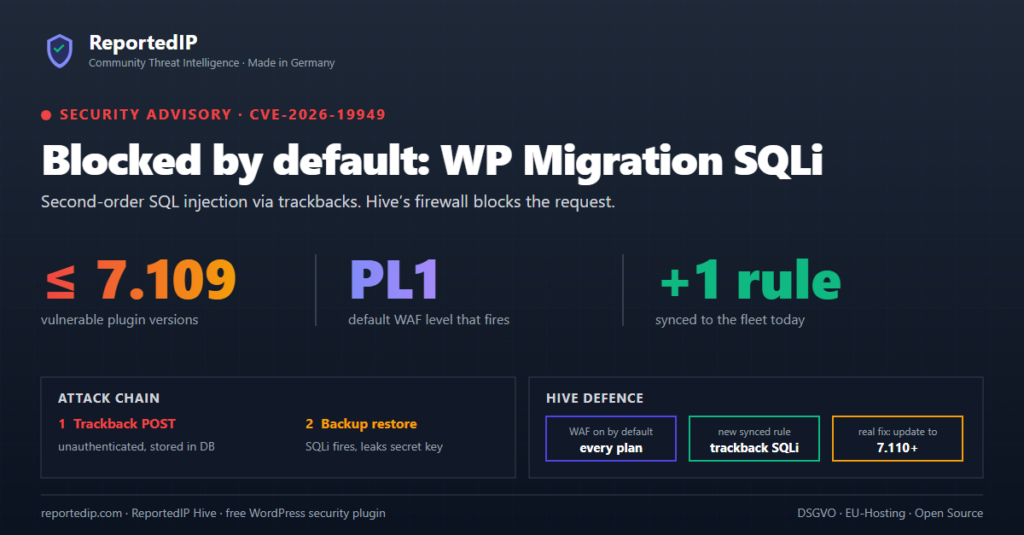
CVE-2026-19949 is an unauthenticated second-order SQL injection in the All-in-One WP Migration and Backup plugin for WordPress, affecting every version up to and including 7.109. ServMask fixed it in version 7.110 on 20 August 2026, and the attack can end in a full site takeover once an administrator restores a backup.
Update the plugin to 7.110 or newer first, because only the update removes the bug. The ReportedIP Hive firewall inspects the trackback requests the attack depends on, and ReportedIP Hive is free on every plan.
What is CVE-2026-19949?
The All-in-One WP Migration vulnerability CVE-2026-19949 sits in how the plugin rebuilds the database during an archive restore. The plugin writes values from the archive into SQL statements without preparing them properly. In a second-order injection, the payload is stored first and only runs later, during a separate process. The attack runs in four stages:
- The attacker sends crafted trackbacks to a public post. No login is needed, and WordPress stores them as ordinary comments.
- The payload sits in the database and does nothing. Scanners that only watch for immediate SQL errors see nothing unusual.
- An administrator exports the site and imports the archive again. During this restore, the stored data breaks out of the SQL statement and runs as a query.
- The query reads the plugin’s
ai1wm_secret_key, the token that protects its import function. With that key, an attacker can push a prepared archive and run code on the server.
Security researcher Jack Taylor reported the flaw through the Wordfence bug bounty programme on 14 August 2026. Wordfence rates it 8.8 (High) on the CVSS scale, and the NVD entry for CVE-2026-19949 holds the official description. Our sister company published a German summary: CVE-2026-19949 at CMS ADMINS.
Which versions of All-in-One WP Migration are affected?
| Version | Status | Released |
|---|---|---|
| 7.109 and older | Vulnerable | Before 20 August 2026 |
| 7.110 | Fixed | 20 August 2026 |
| 7.111 | Fixed, current | 15 September 2026 |
The plugin has more than 5 million active installations. On 29 September 2026, the wordpress.org version statistics showed 45 percent of sites on 7.110 or 7.111, so more than half still ran an older version. Wordfence published the technical details at the start of September 2026. In the NVD entry, CISA listed no known exploitation as of 27 August 2026.
What should you do now?
- Update All-in-One WP Migration to 7.110 or newer on every site under Plugins.
- Update before you run the next export or import. The injection only fires during a restore.
- Close trackbacks if you do not use them. The WordPress setting under Settings → Discussion only applies to new posts. The Hive switch Disable XML-RPC closes pingbacks and trackbacks on all existing posts as well.
- If you restored an archive on version 7.109 or older, run the checks in the next section.
How can you tell whether your site was targeted?
- Trackbacks. Filter the Comments screen by pings and look for trackbacks from unknown sites, often several in a row on the same post.
- Comments after a restore. A new approved comment with a long random string can contain the leaked secret key.
- Must-use plugins. Check
wp-content/mu-pluginsfor files that nobody on your team added. - Accounts. Look for administrator accounts that nobody created.
- Hive event log. Firewall blocks on trackback addresses show which IP addresses tried to plant the payload.
If you find any of these, treat the site as compromised. Restore a clean backup taken before the first suspicious trackback, update the plugin and change all administrator passwords.
How does ReportedIP Hive handle this attack?
The Hive firewall is on by default on every plan and runs in blocking mode. It checks the address, the request body and the user agent of every request from visitors who are not logged in, trackback requests included. With Extended Protection turned on, the check runs before WordPress loads. The firewall documentation explains the rule sets and exceptions.
Two layers apply to this attack. The baseline that ships inside the plugin blocks common SQL injection shapes on every site, Local Shield included. Since September 2026 the signed rule set from ReportedIP also carries the rule waf_sqli_trackback_2nd. It only looks at trackback requests and flags SQL fragments and escape sequences that a normal trackback never contains. Sites in Community Network mode receive it through the regular rule sync, on the free plan too. Local Shield sites stay on the bundled baseline, see the operating modes.
One limit applies to every firewall. The second stage, the restore, runs inside PHP without an HTTP request, so no firewall sees it. Blocking the trackbacks stops new payloads. The access lockdown switches close the entry point completely, and the plugin update is the fix. The wp2shell case in WordPress core followed the same pattern: firewall rules covered sites until they were patched.
Frequently asked questions
Is All-in-One WP Migration safe to use after the update?
Version 7.110 and later are not affected by CVE-2026-19949, and 7.111 from 15 September 2026 is the current release. Payloads planted earlier cannot run on a fixed version. A site that restored an archive on 7.109 or older should still be checked for leaked keys, unknown must-use plugins and new administrator accounts.
Am I at risk if I never restore backups?
The injection only runs during an export followed by an import, so a site that never restores is not exploited through this bug. Stored trackbacks remain in the database, though, and fire at the next restore on an old version. Migrations to a new host count as a restore. Update the plugin now instead of waiting for the next migration.
Does ReportedIP Hive replace the plugin update?
Hive does not replace the update, because only version 7.110 or newer removes the bug. The firewall inspects the trackback requests that deliver the payload and can close trackbacks with one switch. The restore itself runs without an HTTP request, and no firewall can inspect that step. Update the plugin on every site.