ReportedIP Hive 2.1.36: Official YubiKey and Hardware Security-Key Support
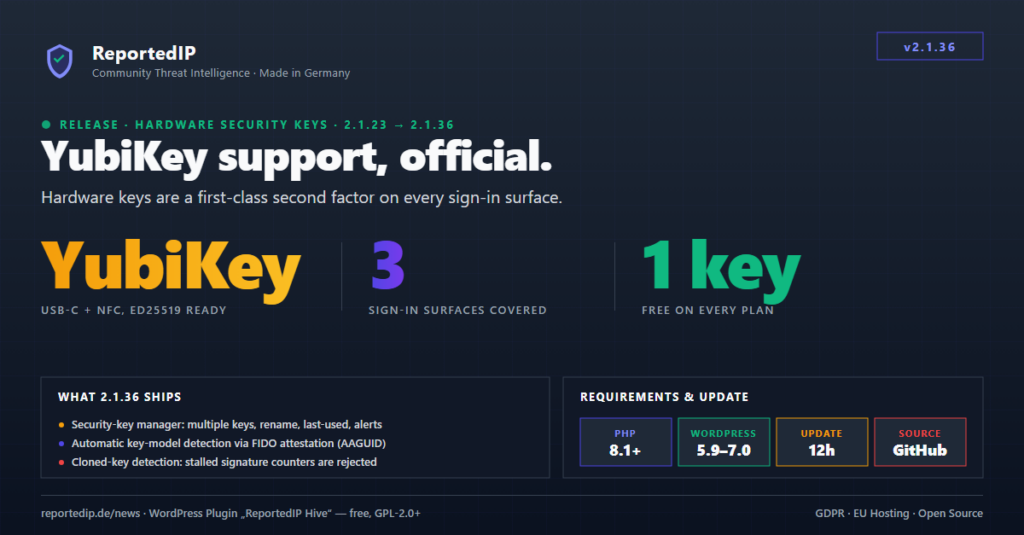
ReportedIP Hive 2.1.36 makes hardware security keys an official, first-class second factor. A YubiKey, or any FIDO2 key or platform passkey, now completes a full WebAuthn ceremony on all three sign-in surfaces (wp-login, the WooCommerce storefront and the password-reset gate), backed by a multi-key manager, automatic key-model detection and cloned-key alerts.
The release consolidates the 2.1.33–2.1.35 development stages into one update. Grab it via Plugins → Check for updates or from the GitHub releases page; if you missed the firewall-hardening arc that preceded it, the 2.1.21 write-up covers that ground.
What changed since Hive 2.1.21
Eleven releases shipped between 2.1.23 (2026-07-09) and 2.1.36 (2026-08-05). The through-line: sharper enforcement with fewer self-inflicted wounds, a substantial performance release, and finally the hardware-key milestone.
| Version | Headline change |
|---|---|
| 2.1.23 | Baseline WAF rule blocks the PHPUnit eval-stdin.php RCE probe (CVE-2017-9841) on every plan; users who exhaust the 2FA grace period are routed into forced enrolment instead of being locked out. |
| 2.1.24 | A duplicate submit of the 2FA login challenge no longer strands correctly-authenticated users on a “session expired” page. |
| 2.1.25 | Two baseline rules target the WordPress-core REST batch route-confusion class; request bodies are matched both raw and once-decoded, closing an encoded-payload bypass. |
| 2.1.26 | Crawler claims are cross-checked against forward-confirmed reverse DNS and official IP ranges; a central guard stops any sensor from auto-blocking a verified Googlebot; Multisite subsites read the right tables again. |
| 2.1.27 | A spoofed “Jetpack by WordPress.com” user-agent no longer shields login brute-force from auto-blocking; “Trust this device” survives failed attempts. |
| 2.1.28 | A community-reputation hit now writes a 24-hour block that covers every surface, not just the login form; minimum WordPress raised to 5.9. |
| 2.1.29 | New “Keep author archive pages public” switch separates the real user-enumeration leak (?author=N) from harmless archive links. |
| 2.1.30 | The pre-WordPress guard enforces IP blocks before WordPress loads and records every hit to a queue file, extended protection finally shows up in the logs and the escalation ladder. |
| 2.1.31 | The block-escalation ladder weights attack volume (a 60-violation burst skips rungs); the server can no longer auto-block its own IP over cache-preload and cron loopbacks. |
| 2.1.32 | Performance release: 36 → 11 plugin queries per anonymous request, the blocklist answers from an 8 KB header instead of a 1 MB file read, dashboard TTFB 920 ms → 278 ms on a 500k-row logs table (schema v13); CIDR range blocks are enforced by the WordPress layer again. |
| 2.1.36 | Official YubiKey / hardware security-key support and the rebuilt profile 2FA section (consolidates 2.1.33–2.1.35). |
Hardware security keys are now a first-class second factor
Hive has carried WebAuthn support since 1.4.0, but it was honest to call it passkey-grade rather than hardware-key-grade: the WooCommerce challenge rendered a Passkey tab whose panel did not exist, and the password-reset gate offered WebAuthn while loading no ceremony script at all. 2.1.36 closes that gap. All three challenge surfaces, the wp-login interstitial, the WooCommerce storefront challenge and the password-reset gate, now render one shared WebAuthn panel (templates/partials/webauthn-challenge-panel.php) and complete a full assertion ceremony.
The ceremony details are tuned for real hardware. The timeout is raised from the WebAuthn default of 60 to 120 seconds (CEREMONY_TIMEOUT_MS, class-two-factor-webauthn.php), because NFC taps on phones routinely need the extra time. When libsodium is available, Ed25519 (EdDSA, COSE −8) is offered ahead of ES256 and RS256 and verified server-side, the algorithm YubiKey firmware 5.2.3+ prefers. And userVerification defaults to discouraged, following Yubico’s guidance on user presence versus user verification, so a fresh key never surprises the user with a FIDO2-PIN prompt during a second-factor login. Operators who want PIN or biometric verification can raise the policy via the reportedip_hive_webauthn_user_verification filter, and the raised policy is then enforced server-side, not just requested client-side.
One more deliberate choice: registration now requests residentKey: 'discouraged'. Enrolling a YubiKey as a WordPress second factor no longer consumes one of the key’s limited discoverable-credential slots (25 on most 5-series firmware, 100 from firmware 5.7), the credential is stored server-side instead. Existing discoverable credentials keep working.
A security-key manager lives on the user profile
Every user now has a “Security keys & passkeys” manager on their profile: register multiple keys (a primary plus a backup), name and rename them, remove them individually, and see when each key was added and last used. The enrolment buttons carry WebAuthn hints, “Security key (USB / NFC)” maps to authenticatorAttachment: cross-platform, “This device” to platform so Chrome and Edge open the right dialog directly instead of asking twice. Removing the last key disables the method through the normal disable path, never silently.
The plugin tells you which key model was registered
Registration requests direct attestation, verifies packed attestation signatures, extracts the AAGUID and resolves it against a bundled registry of 91 authenticator models: 81 Yubico hardware entries plus the major passkey platforms (Windows Hello, iCloud Keychain, Google Password Manager, 1Password and others), sourced from the FIDO Alliance metadata service. The detected model (“YubiKey 5 Series with NFC”, “Windows Hello”) appears under the key name. The whole path is display-only and fail-open: a missing or unverifiable attestation never blocks a registration, matching Yubico’s guidance that attestation should inform, not gate.
Cloned keys are detected and reported by mail
Authenticators maintain a signature counter that must advance with every assertion. An assertion whose counter does not advance is the classic fingerprint of a cloned or rolled-back authenticator, so Hive now rejects it, logs 2fa_webauthn_counter_regression at high severity and mails the account owner, on every plan, throttled to one mail per credential per hour. Counter-less platform passkeys (which legitimately report zero) keep working. Assertions without the user-presence flag are rejected per WebAuthn §7.2. Key registrations and removals trigger their own notification mails on the Business plan.
The profile 2FA section was rebuilt for end users
The old profile section assumed you knew what TOTP meant. The rebuilt one uses design-system cards with a plain-language intro and one row per sign-in method, authenticator app, passkey / security key, email code, SMS, each with a lay description, an Active/Default badge and inline actions. Three behaviours changed underneath:
- Methods can be added at any time, not only while 2FA is still off, and every enrolment surface (profile, onboarding wizard, WP-CLI, the key manager) routes through one shared activation path.
- The default sign-in method is user-selectable. Every active method row offers “Make default”; the choice is asked for first on the login challenge. Under the hood this is a new
set_primary_methodAJAX endpoint delegating toTwo_Factor::set_user_method(), which refuses any method the user has not actually enabled. - SMS management moved into the profile. A number can be set up or changed there, and a changed number only replaces the verified one after the new number has confirmed a code, a typo can no longer break the method.
Single methods can now be removed individually, with a clear warning when removing the last one would turn 2FA off entirely. Fresh installs allow all four methods by default (totp, email, webauthn, sms SMS becomes usable once a relay-capable plan is connected); existing sites keep their stored selection. And adding a second method no longer overwrites the user’s default or silently regenerates existing recovery codes, which the old TOTP confirm endpoint did both of.
What stays free, and what needs Business
One security key or passkey per account is free on every plan, enrolment, login on all three challenge surfaces, rename and delete, and the cloned-key warning mail included. The Business plan adds the advanced layer: multiple keys per account, automatic model detection via attestation, and the key-lifecycle email alerts. The split is enforced server-side in the registration endpoints (webauthn_advanced in the feature matrix), and free-tier registrations request attestation: 'none' so no browser consent prompt ever appears for a feature the tier does not include. Plan details are on the pricing page.
If you want the background on how WebAuthn, passkeys and hardware keys relate, the passkey login guide covers the concepts; for the specific key we develop and test against, see the YubiKey 5C NFC write-up.
Security fixes that shipped alongside
Making hardware keys official meant auditing the whole WebAuthn path, and several fixes fell out of that audit. The password-reset gate now binds the browser to the reset identity via a short-lived server-minted token, never via URL parameters, which can leak through referrers and logs. The WebAuthn login AJAX endpoints sit behind the same per-IP lockout ladder as the challenge form, closing a rate-limit bypass, and registration options are throttled per user. The self-contained CBOR decoder rejects truncated, indefinite-length, tagged and float input with clean errors and a nesting-depth cap; the EC2 COSE path verifies the P-256 curve before use.
Two quality-of-life fixes are worth knowing about. Touching a YubiKey outside an active ceremony no longer produces confusing errors, typed Yubico-OTP input (the long lowercase string a key emits when tapped accidentally) is detected and answered with guidance. And starting a TOTP setup no longer silently replaces an already confirmed authenticator secret; re-setup requires an explicit “Set up again”. Outside the 2FA subsystem, the WAF drop-in sync now probes writability before every guard, blocklist and directive write and degrades fail-open instead of printing PHP warnings that broke admin redirects with “headers already sent” on read-only file systems.
Sharper enforcement and less noise on the way here
The 2.1.23–2.1.32 run deserves its own mention, because several of those changes alter day-to-day behaviour. Since 2.1.26/2.1.27, a crawler claim in the user-agent buys nothing on its own: every claim is cross-checked against forward-confirmed reverse DNS and official IP ranges, a central guard spares only verified crawlers from every automatic block decision, and credential-bearing events like failed logins bypass the bot allowlist entirely, genuine crawlers never submit credentials. Since 2.1.31 the server also can no longer block itself: cache-preload crawlers, WP-Cron loopbacks and REST self-requests arrive from the site’s own public address, and one Multisite in the field had auto-blocked its own IPv6 for seven days over “REST API abuse”. The automatic pipeline now stands down for the server’s own addresses and an upgrade migration lifts existing self-blocks.
Enforcement got stronger at the same time. The escalation ladder now weights volume, an attacker who fires sixty rule violations in ten seconds skips rungs instead of earning the same five minutes as three violations would. The pre-WordPress guard (extended protection) enforces IP blocks before WordPress loads and records every hit it blocks, so laddering and community reporting work even for requests WordPress never sees. And 2.1.32 paid the performance bill for all of it: 36 → 11 plugin queries per anonymous request, a blocklist that answers from an 8 KB header instead of reading up to 1 MB per request, and a security dashboard whose TTFB dropped from 920 ms to 278 ms on a 500k-row logs table.
How to update to Hive 2.1.36
The built-in update checker polls GitHub every 12 hours; to pull the release immediately, open Plugins → Check for updates. Requirements are unchanged since 2.1.28: WordPress 5.9+ and PHP 8.1+. There is no manual migration, the upgrade routine handles the schema, and libsodium (bundled with PHP since 7.2) is all that is needed for Ed25519. Hardware coverage is documented in the repository’s WebAuthn test matrix, which gates every release on a real YubiKey 5C NFC across Windows, Android, iPhone and macOS.