ReportedIP Hive 2.1.62: An Audit Trail That Answers the Support Ticket
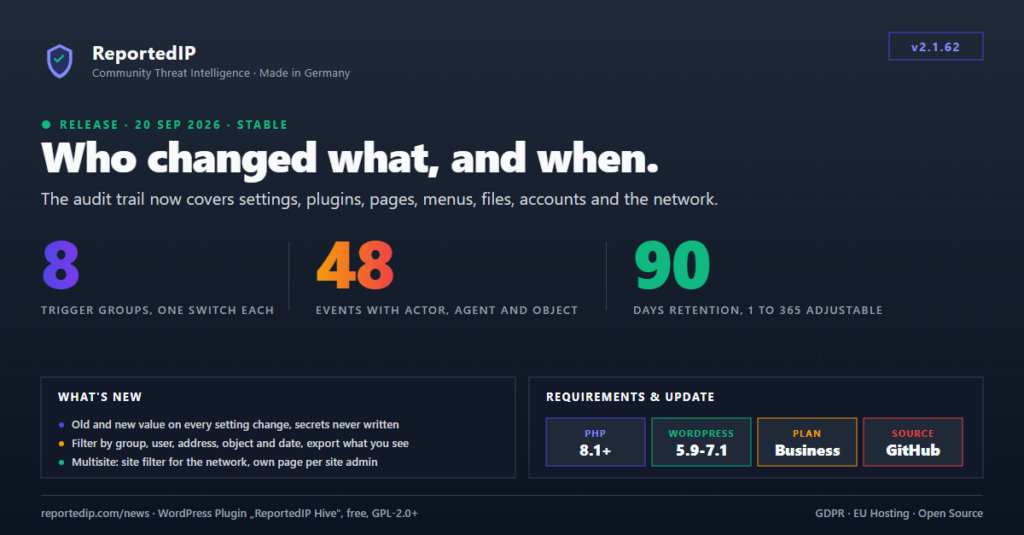
ReportedIP Hive 2.1.62, released on 20 September 2026, turned the audit trail into a WordPress audit log of who changed what: settings with the old and the new value, plugins and themes, pages and posts, menus and widgets, edited files, user accounts and, on a network, sites and super admins. Every row names the acting user, how the request came in and the affected object, so the next support ticket about a broken permalink or a vanished page has an answer before anyone starts guessing.
The current release is 2.1.67, and the audit trail works as described here. Update from the WordPress admin or download the current ZIP from the Hive product page. The trail is part of the Business and Enterprise plans.
What is a WordPress audit log, and how does it differ from a security log?
A security log records what came from outside: failed sign-ins, blocked addresses, firewall hits. An audit log records what signed-in people changed on the site. WordPress itself keeps no such record. It stores the current value of an option and, for posts, a list of revisions, but not who changed the permalink structure or what it was before.
| Question | Security log (Event Log) | Audit trail |
|---|---|---|
| What it records | Attacks, blocks and sensor hits | Changes made by signed-in users |
| Typical question | Which address attacked the login? | Who deactivated the shop plugin? |
| Plans | Every plan | Business and Enterprise |
| Default retention | 30 days | 90 days |
The OWASP Logging Cheat Sheet lists the same core fields for an audit event: when, where, who and what. Hive’s audit trail stores exactly that per row, in its own table on your installation, reportedip_hive_audit_log with your database prefix in front.
What does the Hive audit trail record since 2.1.62?
Before 2.1.62 the trail listened to eight account hooks: sign-ins, password resets, profile and role changes. That answers who signed in, but not the questions a maintenance case turns on. Since 2.1.62 the trail covers eight trigger groups with 48 event types in total.
| Trigger group | Recorded events | Default |
|---|---|---|
| Sign-ins and sign-outs | Sign-in, sign-in from a new address, failed attempt, sign-out | off |
| User accounts | Registration, deletion, profile, e-mail and password changes, role changes with the acting user, password resets, account blocks, ended sessions, edited role capabilities | on |
| Pages and posts | Published, unpublished, trashed, restored, deleted, URL slug changed | on |
| Plugins, themes and core | Installed, updated, activated, deactivated, deleted, theme switched, WordPress core updated, with the version before and after | on |
| Site settings | 26 WordPress options such as site address, permalinks, reading, discussion, registration and update settings, plus every Hive setting, each with old and new value | on |
| Menus and widgets | Menus created, changed and deleted, menu locations, widgets added to or removed from a sidebar | on |
| Theme and plugin file editor | A file saved through the built-in editor, recorded only when the file actually changed | on |
| Network (Multisite) | Sites created, changed, archived and deleted, users added to or removed from a site, super admin granted or revoked | on |
Sign-ins stay off by default because they produce by far the most rows, and failed attempts are already in the security log. The other seven groups are what a support case needs, so they start switched on. The Network group only appears on a Multisite installation.
What does each audit log entry contain?
Each row carries the time, the acting user with the address the request came from, the event and the affected object. Since 2.1.62 the acting user is the signed-in account that made the change. The account the change was about sits in separate object columns, so “Anna changed Tom’s role” no longer reads as an event of Tom’s.
- Agent: how the request came in, as browser, WP-CLI, cron, REST, AJAX or XML-RPC. An automatic plugin update at three in the morning is told apart from an administrator clicking the button.
- Object: the page, user, plugin, menu or option that changed, linked while it still exists. A page opens in the editor, a user on the profile.
- Old and new value: stored for setting changes and cut to 500 characters. A list is stored as what was added and what was removed.
- No secrets: an option or data field whose name contains password, secret, token, nonce or API key keeps its values out of the table. That covers the Community Access Key and third-party credentials alike.
What is deliberately not a row
- Autosaves, revisions and auto-drafts, and the internal post types the block editor and the Customizer write on their own.
- The Customizer’s repeated writes of one option during a single save, and the second hook WordPress fires for the same action.
- The slug WordPress appends when an entry goes to the trash, and the role WordPress assigns while an account is being created.
- A file-editor save that was rejected. Hive compares the file before and after the save, and only a changed file produces a row.
How do you set up triggers and retention?
All audit settings sit on one card. Open ReportedIP Hive → Protection, switch on Expert mode in the page header and expand the card Privacy & Logs. The simple view hides the audit settings.
- Leave Audit trail switched on. On a Business plan it is on by default.
- Choose the groups under Audit trail triggers. Switch on sign-ins only if you need them in the record.
- Set Audit retention (days) between 1 and 365. The default moved from 30 to 90 days in 2.1.62.
- Switch on Anonymize IPs in the audit trail if the record should keep only the network part of an address.
- Optionally switch on Mail an alert on a sign-in from a new address.
The daily cleanup deletes expired rows in chunks of 5,000, the same way as for the security log, so a table that grew for months is cleared over a few days without holding a long lock. The triggers are a normal registry setting, so MainWP and Cloud Fleet Management push the same value across a fleet.
How do you search and export the audit log?
The record is under ReportedIP Hive → Activity, tab Audit Trail. The table shows the user with their address, the event with its group, the object and a sentence with the old and the new value. The filter selects one event or a whole group, a user, an address, an object title and a date range.
The CSV and JSON exports carry the active filter, the object columns and the sentence, so the file contains exactly what is on screen. Option names are translated when the table is displayed. A German administrator sees “Permalink-Struktur” even for a change an English-speaking colleague made from the command line.
Multisite: network rows and site rows
On a network, events that belong to the whole network are stored as network rows: network-wide plugin activation, installs and updates, network options, sites created or deleted, super admin grants. Events on a site carry that site. The Network Admin sees everything with a Site column and a site filter. Every site administrator gets an Audit Trail page in the site’s own admin menu that shows that site’s rows and nothing else. More on network setups is in the Multisite security guide.
Below Business the tab shows a sample
On plans below Business the tab shows the plan marker, four questions the trail would answer, a link to the plan and the same table over five sample rows. Nothing is recorded or queried there, the export answers with HTTP 403, and the security log stays available on every plan.
Is a WordPress audit log compatible with the GDPR?
An audit log is personal data, because it has to name the person who acted. Hive stores the acting user’s login name on purpose, together with the address and the browser identification of the request. Without the login name the record could not answer the question it exists for. Under the GDPR, site operators usually rely on legitimate interest in security and accountability for this, and list the record in their privacy notice.
- Storage limitation: keep the retention as short as your support and compliance cases allow. Treat the 90-day default as a starting point.
- Address: with the anonymize option an IPv4 address keeps its first three octets, an IPv6 address its first 64 bits.
- Access and erasure requests: the WordPress tools for exporting and erasing personal data cover the audit trail. An erasure removes that person’s login name, address and details from the rows; the event and its time stay.
This is not legal advice. How Hive handles personal data in the security log, the retention periods and the uninstall is covered in the GDPR and privacy guide.
What else changed in Hive 2.1.62?
The filter of the security log used to offer a fixed list of 30 event types that had not grown with the sensors. Every event type the plugin writes now lives in one registry with its label, filter group and threat family, grouped into thirteen sections. A search box narrows the list by label, slug or group name, and each group can be selected as a whole.
- Form spam was missing from both dashboard charts, because the base type
form_spamwas absent from the chart taxonomy. - Three chart entries pointed at event names nobody writes, so geo anomalies and reputation blocks appeared in no chart. Five event types that are written were missing altogether.
- An event type nobody registered now shows up as “Other” instead of vanishing from the charts.
- The log badge takes its colour from the threat family, so every sensor can be told apart at a glance.
- The remote settings schema gained one key,
reportedip_hive_audit_triggers, and kept version 1, so a fleet dashboard that has not reloaded the schema keeps working.
Questions about the WordPress audit trail in Hive
Does WordPress have a built-in audit log?
WordPress has no built-in audit log. Core keeps post revisions and the current value of each setting, but it does not record who changed a setting, a plugin, a menu or a user role, or what the value was before. That record needs a plugin such as the Hive audit trail.
Which plan includes the Hive audit trail?
The audit trail is part of the Business and Enterprise plans. On Free, Contributor and Professional the Audit Trail tab shows five sample rows and the questions the trail answers, but records nothing. The security log with blocks, sensor hits and failed sign-ins stays available on every plan, including Free.
How long does Hive keep audit log entries?
Hive keeps audit entries for 90 days by default. You can set any value from 1 to 365 days on the Protection page, card Privacy & Logs, in Expert mode. A daily cleanup deletes older rows in chunks, so shortening the retention on a large table takes effect over a few days.