Hive 2.1.51: Registration Defence and Access Lockdown for WordPress
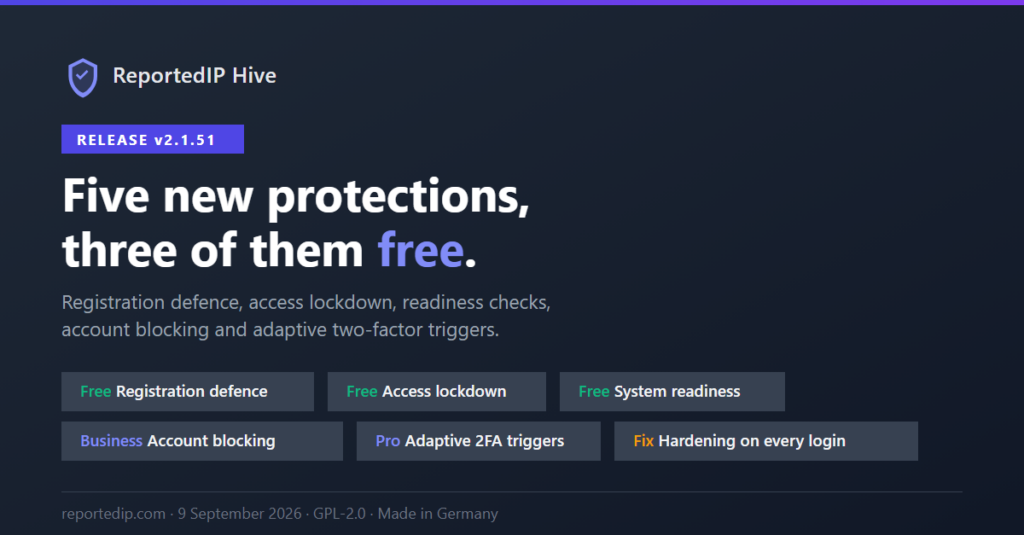
ReportedIP Hive 2.1.51 shipped on 9 September 2026 with five new protections, three of them free on every plan: registration rules, access lockdown switches and a system readiness register. It also closed a hardening-mode gap, open since version 2.0.8, that let WooCommerce storefront logins read the relaxed thresholds during a coordinated attack.
The current release is 2.1.67. The notes below say where a menu or a number has changed since, and sites that rely on the WordPress user sitemap should read the section on it before updating.
What is new in Hive 2.1.51?
| Feature | Plan | What it does |
|---|---|---|
| Registration rules | Free, extended on Professional | Prohibited usernames, e-mail rules, a sign-up rate limit and an unknown-username block |
| Access lockdown switches | Free | Turn off the REST API, XML-RPC, feeds, guest wp-admin, PHP in uploads and version fingerprints |
| System readiness register | Free | Reports the parts of a setup that fail quietly |
| Adaptive two-factor triggers | Professional | Seven per-role rules that ask for the second factor again |
| Account blocking and sessions | Business | Blocks an account without deleting it and ends its sessions |
The protection engine itself stays free. Since version 2.1.56 the former Settings and Firewall pages are one page, ReportedIP Hive → Protection, where each area is a card: Registration Rules, Access Lockdown, Adaptive Step-Up and the others named below.
How does Hive stop fake WordPress registrations?
Until 2.1.51 the registration sensor did one thing: it checked the e-mail domain against a list of throwaway mail services. Since 2.1.51 it is a rule set with four parts:
- Prohibited usernames on top of a built-in list of ten system names: admin, administrator, root, sysadmin, superadmin, webmaster, hostmaster, postmaster, support and moderator. They are refused without any configuration and do not count towards the free entry limit.
- E-mail allow or block rules, checked alongside the throwaway-mail list. Privacy relays such as Apple Hide My Email and Firefox Relay pass by default.
- A registration rate limit per IP address, which refuses further sign-ups once one address creates accounts faster than a person would.
- An optional block for sign-in attempts against usernames that do not exist, the pattern credential-stuffing runs produce in volume.
The rules cover the WordPress registration form, WooCommerce, Multisite sign-ups and users created by code, so a theme or plugin calling wp_insert_user() does not slip past them. Ten plain entries per list are free on every plan. Professional lifts the limit, accepts /regex/ patterns and adds allowlist-only registration, where accounts can only be created from listed IP ranges. All options are in the registration rules documentation.
Bots that fill in the sign-up form itself are a separate problem. Hive handles them with the form protection described in the form honeypot guide.
Which WordPress interfaces can the access lockdown turn off?
Most WordPress installations run interfaces their owners never use. The access lockdown switches turn them off, free on every plan, and every switch is off by default:
- The REST API for signed-out visitors, or for everyone outside a chosen set of roles and namespaces.
- XML-RPC together with pingbacks.
- RSS and Atom feeds.
- The admin area for signed-out visitors.
- PHP execution in the uploads folder, written into the uploads
.htaccesson Apache. nginx and unknown servers get a snippet to paste. - The version fingerprints in the page source.
In 2.1.51 the switches sat in a section of the Firewall page. Since 2.1.56 they are the Access Lockdown card under ReportedIP Hive → Protection. Six of them count towards the hardening score, and the older weights were lowered so the total still adds up to 100. Details: access lockdown switches.
How does Hive notice when protection stops working?
A security plugin that has quietly stopped working is worse than none, because the dashboard still looks healthy. The readiness register launched with 12 detectors: an unwritable queue for the pre-WordPress guard, stalled or disabled cron, a trusted proxy header without proxy ranges, an outdated database schema, a degraded community connection, exhausted mail or SMS relay quotas, failing mail delivery, a missing encryption extension and a growing report queue.
Open issues appear on the System Status page with their severity, the time they first appeared, a link to the responsible setting and a link to the documentation. Warnings and advisories can be dismissed for seven days, critical issues cannot. wp reportedip status lists them in its issues field. As of 2.1.67 the register runs 19 detectors: 2.1.56 added six advisory checks, such as an administrator without a second factor, and 2.1.58 added one for form plugins whose protection is available but switched off. See system readiness checks.
How do I block a WordPress user without deleting the account?
On the Business plan an account can be blocked from its profile page, from the Users list or with wp reportedip user block. A blocked account keeps its posts, orders and media but cannot sign in, cannot use an application password and cannot complete a password reset. Every session and trusted device it holds ends the moment the block is set.
The Sessions page under Users lists every active session with user, sign-in time, expiry, IP address and device, and ends a single session or all sessions of a user. Your own current session cannot be ended from that list. Blocks stay in force and can always be lifted, even after a plan expires, so an expired licence never leaves anyone locked out. Details: user account control.
When does Hive ask for the second factor again?
Trusted devices are convenient, and they are also the gap an attacker aims for. On Professional, seven step-up triggers can be set per role: a new country, a new IP address, a new network, a new device, every N days, every N sign-ins and more than N sessions at once. A user who matches is asked for the second factor again, even with a trusted-device cookie.
Two safeguards come with it. Users without a configured method are never locked out, and the administrator role can only be armed after an administrator has passed one two-factor challenge on that site. The 2FA IP allowlist and the reportedip_2fa_bypass filter still skip the triggers. The settings are the Adaptive Step-Up card on the Protection page. See adaptive step-up triggers.
Which hardening-mode gap did 2.1.51 close?
Hardening mode, available from Professional, tightens the failed-login threshold network-wide for a limited period when a coordinated attack is detected. Two sensors never saw the tighter values: the WooCommerce login monitor, which covers My Account and the classic checkout, and the application-password monitor. A botnet aimed at the storefront forms kept running against the relaxed configuration.
The gap dated back to 2.0.8, when hardening mode first shipped. Sites without WooCommerce and without application passwords were never affected. Both monitors now read their thresholds through the same limit as wp-login, and an automated test fails the build if a future sensor reads a login threshold without it.
What changed in the settings with 2.1.51?
Seventy options lived outside the settings registry, so MainWP and the cloud fleet management could not manage them and the JSON export left them out. Among them were the security headers, the trusted-proxy pair, the password policy and the footer badge. All of them are registry options now, checked by one sanitiser instead of several.
All 169 options of 2.1.51 carry a one-sentence description, so MainWP and the fleet show real text instead of a bare label. An imported settings file can no longer write anything past the sanitiser. That mattered most for the client IP header, where an arbitrary value would let an attacker fake the address that every sensor, the whitelist and the block list rely on. No option key changed, so stored fleet policies survived the update.
Why is the WordPress user sitemap gone?
Since 2.1.51, wp-sitemap-users-1.xml no longer exists while Block user enumeration is on, and that option is on by default. The same setting already blocked ?author= and the REST user route, and the sitemap was the last published list of usernames on the site. Search engines do not need it. If your theme uses author pages, switch on Keep author archives reachable in the Detection & Thresholds card on the Protection page.
How do I get these changes today?
Every release since 2.1.51 contains them, and Hive installs its own updates through WordPress auto-updates. To pull the current release right away, open Plugins and check for updates in the Hive row. For a new installation, download the current ZIP from the Hive product page. The plan features are listed on the pricing page.
For background on why usernames matter to attackers, the OWASP authentication cheat sheet covers account enumeration and generic error messages.
Frequently asked questions
Are the registration rules free?
The registration rules are free on every plan with ten plain entries per list, plus the built-in list of ten system names, the rate limit and the unknown-username block. Professional removes the entry limit, accepts regular expressions and adds registration from allowlisted IP ranges only. Nothing that was free before 2.1.51 moved behind a plan.
Does blocking a user delete their content?
Blocking keeps the account and everything it owns: posts, WooCommerce orders and media stay where they are. The user can no longer sign in, use an application password or reset the password, and all sessions end at once. Blocking needs the Business plan, while lifting a block works on every plan.
Can the access lockdown break a plugin or app?
A lockdown switch can break a plugin or app that depends on the interface it closes. The WordPress mobile app and some backup services use XML-RPC or the REST API, and headless themes read the REST API. Every switch is off by default, so check which services use an interface before you turn it off.