ReportedIP Hive 2.1.49: Security Audit, Settings Standard and Fleet Management
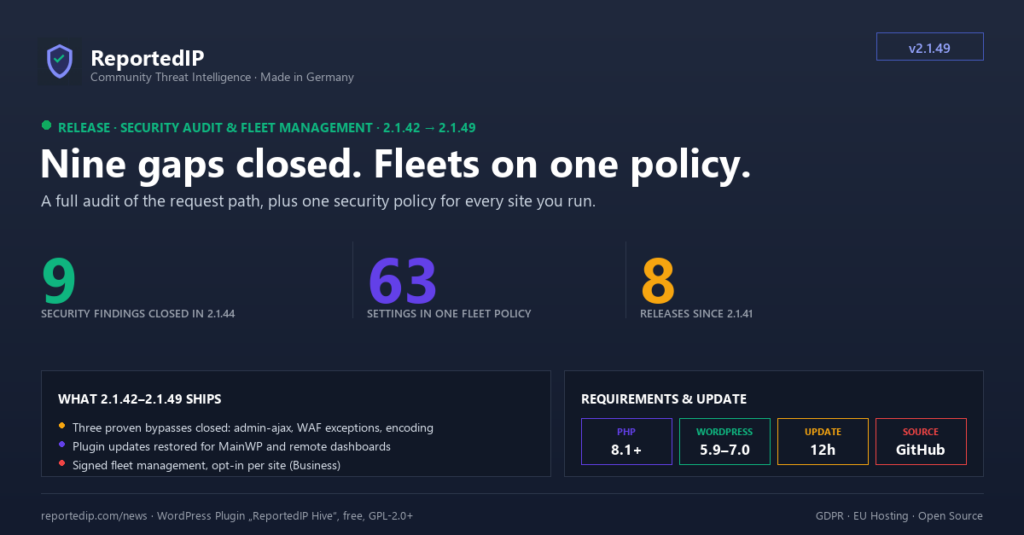
Hive 2.1.49 closed a series of eight releases shipped between 14 and 26 August 2026: a security audit with nine fixed findings, one settings standard for every writer, and fleet management that pushes one security policy to every site you run. The current release is 2.1.67, and the notes below say where a menu or a plan assignment has changed since.
What changed between Hive 2.1.41 and 2.1.49?
- 2.1.42 stopped counting failed XML-RPC app-password logins twice.
- 2.1.44 closed nine findings from a full-codebase security audit, four of them in the path a request takes past the block gate and the firewall.
- 2.1.45 made every API request identify its installation the way wordpress.org update checks do, and added a Licensed domains card.
- 2.1.46 restored plugin updates for remote-management dashboards, which had been blind to Hive updates since 2.1.32.
- 2.1.47 introduced the settings registry and a versioned remote-settings protocol.
- 2.1.48 added cloud fleet management for the Business plan, an Ed25519-signed transport that lets reportedip.com apply policies to your sites.
- 2.1.49 hardened that endpoint so an unauthenticated caller cannot tell whether a site has opted in.
Everything here is in the free plugin unless a line names a plan. The protection engine stays free. The release before this series added Tor exit-node blocking.
Which security holes did Hive 2.1.44 close?
2.1.44 came out of a full-codebase security and correctness audit. Every finding was verified against the running code before it was changed, and every fix carries a regression test.
admin-ajax.php sat outside the block gate
The IP gate stepped aside for every AJAX request, and the firewall engine skipped anything WordPress treats as an admin request. That includes admin-ajax.php and admin-post.php, which serve every public AJAX action a site registers. A blocked address kept full access, and its request body went uninspected. Only WP-Cron stays exempt now, anonymous requests to both endpoints are inspected, and AJAX callers get a JSON error instead of the block page.
One firewall exception could hide every rule behind it
The engine stopped at the first matching rule and only then checked it against the exceptions. A request that appended a fragment matching an excepted rule carried its real payload past the whole scan. The exception check now runs inside the loop, and scanning continues after an excepted match.
Percent-encoded probes walked past three sensors
The WordPress function sanitize_text_field() deletes every percent escape. A request for /wp-login%2Ephp therefore reached the hide-login check as /wp-loginphp, and the login form was served anyway. The hidden login, the scan detector and the decoy paths now read the raw request address and decode it once. The firewall engine uses the same path resolver.
Six more findings in the same release
- A malformed CIDR prefix made the pre-WordPress guard match every address, so one broken whitelist row would have let every request through.
- A submitted 2FA method was never checked against the site policy. A method the policy no longer allowed still signed the user in when its secret had been left behind.
- TOTP codes were not single-use. A code captured in transit stayed valid for the rest of its time step. Hive now records the accepted step, as RFC 6238 recommends.
- Both public 2FA REST routes end in
wp_set_auth_cookie()and accepted cross-origin calls. They now refuse them. - Blocks and unblocks took up to five minutes to apply because the access verdict stayed cached. Every block change now clears it.
- A client-IP header trusted without proxy sources is accepted from any peer. The behaviour stays for compatibility, but saving that combination now shows a warning.
If your site runs behind a reverse proxy or a CDN, fill in the Trusted Proxy Sources field. Since 2.1.56 it sits in the connection card under ReportedIP Hive → Community.
Why did MainWP stop showing Hive updates?
From 2.1.32 on, the update checker was only built in wp-admin, cron and WP-CLI requests. MainWP, ManageWP and comparable dashboards sync over front-end requests, so they could neither list nor install a new Hive version. Sites that relied on a management dashboard sat on old builds without any warning.
2.1.46 builds the checker on every request again and switches WordPress auto-updates on for the plugin. A security plugin that lags behind its own fixes protects nobody. Sites that must pin a version can restore manual control with the reportedip_hive_auto_update filter.
How does Hive identify its installation?
Since 2.1.45 every request to reportedip.com carries the site address, the plugin version and the WordPress version, in the User-Agent format wordpress.org update checks use. On multisite the network address is sent, so a network counts as one licensed domain. Visitor data stays limited to the IP address and event type of detected threats. The Have I Been Pwned password check receives only the product name and version.
The same release added a Licensed domains card that shows how many domains your plan covers and how many are in use. Since 2.1.54 the card sits on the Community page. Retired sites can be released in your reportedip.com account under Domains, and a domain that stops reporting is released automatically after 60 days.
What is the Hive settings registry?
Before 2.1.47, three places validated Hive settings separately: the settings page, the setup wizard and the import. A writer outside wp-admin, such as a remote dashboard or WP-CLI, had no sanitizer at all.
2.1.47 replaced them with one declarative registry. Every managed option states its kind, range, allowed values, plan requirement and side effects once, and every writer validates through it. Rewrite-rule flushes for Hide Login and frontend 2FA now run for whichever writer changed the value. The registry outlived the wizard: since 2.1.54 the one-page Quickstart setup guide describes how a plan-aware recommendation is applied through it, and since 2.1.56 the single Protection page saves every card through the same pipeline.
On top sits a versioned remote-settings protocol. A dashboard reads the settings schema, reads the current values and applies a batch. Every key returns its own result, so a plan-gated option is reported as skipped instead of failing the whole push.
How does Hive fleet management work?
2.1.48 turned that protocol into a feature. You define a security policy once, override single fields where a site needs something different, and push it. At launch the policy covered 63 settings in seven groups. The registry has grown with each release, and a site on 2.1.67 exposes 190 settings to fleet management.
Each connected site reports a fingerprint of its managed settings with every API call. Change a value directly on a site and it shows as drifted until you push again. A compare view puts the target value next to the value the site actually has, fetched live.
| Question | MainWP | reportedip.com fleet |
|---|---|---|
| Where you manage policies | Your own MainWP dashboard | Your reportedip.com account under Domains |
| Plan | Not plan-gated | Business or Enterprise |
| Switch on the site | None | Cloud fleet management toggle |
| Authentication | MainWP Child connection | Ed25519-signed request |
The MainWP bridge ships inside Hive, so a site connected through MainWP Child needs no additional plugin. The MainWP integration docs list what the bridge reports. The reportedip.com fleet dashboard works without MainWP and is part of the Business plan.
To let the fleet dashboard in, open ReportedIP Hive → Community and switch on Cloud fleet management via reportedip.com in the connection card. Until 2.1.56 the toggle sat on the General settings tab. The site shows up in the dashboard with its next API request. The cloud fleet docs cover the requirements, and the multisite security guide explains how settings apply across a network.
How the cloud transport is secured
Letting a service write settings into your site is only acceptable if the site can prove who is asking. The transport is off by default, and every request has to clear seven checks before anything is written.
- The site owner switches it on. Without the toggle, Community Network mode and a Community Access Key, every request is refused.
- Per-IP rate limiting on the site.
- An Ed25519 signature (RFC 8032) over the exact payload, verified against a public key bundled in the plugin. The private key never leaves the service.
- A five-minute freshness window on the request timestamp.
- Single-use request identifiers, so a captured request cannot be replayed.
- An audience binding, so an envelope addressed to one site is rejected by any other.
- A proof derived from the site’s own access key, which binds the request to the account that owns the site.
2.1.49 added one more property. A request with a bad signature and a request to a site that never enabled the feature now get the identical generic error, so scanning the internet no longer reveals which sites have fleet management switched on. The site records the real reason in its security log.
Which smaller fixes shipped in the series?
- Activating the plugin no longer fails with a fatal error when Extended Protection is enabled, which also affected network activation.
- Failed XML-RPC app-password logins counted twice against the brute-force threshold. One attempt now counts once.
- The event-type filter of the logs knows App Password Failed.
- Release highlights in the update banner no longer stop mid-sentence.
- The Reset API statistics button did nothing on the Security Dashboard, because its handler was only bound on the System Status page.
- Admin pages no longer scroll sideways on phones. Tables scroll inside their own container, and card headers wrap.
How do I get these changes today?
Every release since 2.1.49 contains them, and since 2.1.46 Hive installs its own updates through WordPress auto-updates. To pull the current release immediately, open Plugins and click Check for updates in the Hive row, or update from your management dashboard. For a new installation, download the current ZIP from the Hive product page.
No configuration change is required. Cloud fleet management stays off until you switch it on per site. If a site ran any version between 2.1.32 and 2.1.45, check its installed version by hand once, because a management dashboard may have shown an outdated number.
Frequently asked questions
Which plan do I need for cloud fleet management?
Cloud fleet management from reportedip.com needs the Business or Enterprise plan, Hive 2.1.48 or newer, Community Network mode and a Community Access Key. The site owner also has to switch on the toggle on the Community page. Settings that the site’s plan does not cover are skipped during a push, never forced.
Why does my site not appear in the fleet dashboard?
In almost every case the Cloud fleet management toggle is still off, which is the default. Switch it on under ReportedIP Hive → Community in the connection card. Nothing changes instantly: the site announces itself with its next API request to reportedip.com, and it has to run in Community Network mode.
Can a scanner tell whether my site uses fleet management?
Since Hive 2.1.49 it cannot. A request to a site without the feature and a request with an invalid signature receive the same generic authentication error with HTTP status 401. The site writes the real reason to its own security log, so you still see failed attempts while outsiders learn nothing.