ReportedIP Hive 2.1.54: Form Execution Proof and a One-Page Quickstart
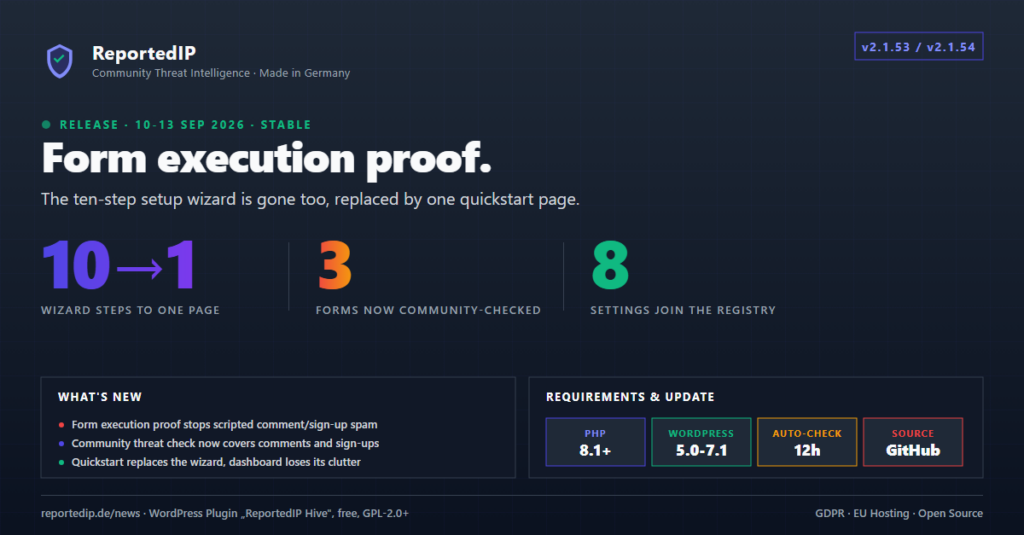
ReportedIP Hive 2.1.53 shipped on 10 September 2026 with a form execution proof that stops scripts posting straight at comment, sign-up and password-reset forms, and 2.1.54 followed on 13 September with a one-page quickstart in place of the ten-step setup wizard. Both are free on every plan and changed how a new site gets configured and how its forms are defended.
The current release is 2.1.67. The notes below say where a menu, a plan or a behaviour has changed since. How the form protection works in detail today is explained in the form honeypot guide.
What is new in Hive 2.1.53 and 2.1.54?
| Feature | Release | Plan |
|---|---|---|
| Form execution proof | 2.1.53 | Free |
| Community threat check on forms | 2.1.53 | Free |
| One-page quickstart | 2.1.54 | Free |
| Recommendation applied on plan upgrade | 2.1.54 | Professional and above |
| Leaner security dashboard | 2.1.54 | Free |
The community threat check needs Community Network mode, which works with a free account. Nothing that was free before these releases moved behind a plan.
How does the form execution proof stop scripted spam?
Many spam scripts never load a form. They send their data straight to the address that processes it. Since 2.1.53, comment, sign-up and password-reset forms carry a hidden anchor plus a second field that only a browser running the page’s own script adds. A submission without them has never rendered the form. On the site the feature was built for, every spam comment of the night before arrived that way.
Nothing specific to a visitor is written into the page, so full-page caches keep working. A theme that writes its own comment form without the usual WordPress hooks is read leniently, because the site measures for itself whether its forms carry the anchor. A missing proof alone never counts towards the block ladder, so a reader with JavaScript switched off is never blocked.
In 2.1.53 a comment without the proof was only a score signal and could still reach the moderation queue. Since 2.1.67 the comment form refuses such a submission with a clear message, the same way sign-up and password reset have done from the start. A comment from a cached page that carries no protection fields at all is still only scored. Sign-up and password reset can be left out with a switch of their own, and report-only mode logs every refusal without refusing anything.
In 2.1.53 the settings sat under Firewall → Spam Defence. Since 2.1.59 they are the Form Protection card under ReportedIP Hive → Protection. The constant REPORTEDIP_HIVE_DISABLE_FORM_PROOF in wp-config.php still switches the whole layer off.
Which forms does the execution proof cover today?
2.1.53 protected three WordPress forms. Later releases carried the proof into form plugins and added a second check:
| Forms | Plan | Added in |
|---|---|---|
| Comment form, sign-up, password reset | Every plan, including Free | 2.1.53 |
| Contact Form 7 | Every plan, including Free | 2.1.58 |
| Computation check | Professional and above | 2.1.58 |
| Gravity Forms, WPForms, Forminator, Formidable Forms, Elementor Forms, Ultimate Member | Business and above | 2.1.58–2.1.66 |
Contact Form 7 started on Professional and has been free since 2.1.63. The computation check closes the gap a plain proof leaves: a script that reads the page once and copies what it finds. Since 2.1.64 the browser has to solve a fresh task from the site itself before the form is sent, so a copied answer no longer passes. Plugin-specific details are in the guides for Gravity Forms and WPForms and Forminator.
How does the community threat check protect forms?
The sign-in page has checked a visitor’s address against the community network since Hive’s first release. Comments, sign-ups and password resets did not, so an address the network already knew as abusive could keep posting as long as it stayed under the site’s local score. Since 2.1.53 all three forms run the same check at the protection level the sign-in page enforces. A visitor the site would refuse a login to cannot use the comment form instead: the visitor is told why, and the address is blocked for the same period as after a refused sign-in.
The check fails open. An exhausted daily allowance, a rate limit, a timeout or an unreachable network all count as “no opinion”, and the submission is judged on local signals alone. It runs only in Community Network mode and is on by default, with the same exemptions as the sign-in check: whitelisted addresses, the site’s own server and infrastructure the network flags as such. Since 2.1.60 the switch Community threat check on forms sits in the simple view of the Form Protection card. How the network scores an address is covered in the community threat intelligence guide.
What replaced the Hive setup wizard?
Hive 2.1.54 retired the ten-step setup wizard. The quickstart that replaced it asks two questions: which mode to run, Community Network or Local Shield, and, for Community Network, the Community Access Key. Checking the key reads the plan of the account and applies a recommendation for that plan.
- Three switches stay visible: 2FA for administrators with a 7-day grace period, the “Protected by ReportedIP” footer badge and alert mails to the admin address.
- Every other setting, from sensor thresholds to log retention, comes preconfigured for the detected plan.
- The expert link applies the same recommendation and opens the full settings instead of the dashboard.
- Old links to
page=reportedip-hive-wizardredirect to the quickstart.
Since 2.1.59 the quickstart names the form plugins it finds on the site. It switches on the Contact Form 7 protection on every plan and the other form plugins from Business. The quickstart guide walks through every step, and the quickstart documentation lists what it configures.
What does a plan upgrade switch on?
Since 2.1.54 an upgrade applies the new plan’s recommendation to every setting the admin has not changed by hand, and a banner lists what changed. In 2.1.54 that meant Tor blocking, the HSTS header, 90 days of logs and two-factor login for WooCommerce customers on Professional, and the audit trail with one year of logs on Business. As of 2.1.67 Professional also switches on the computation check, and Business the six form plugin switches. The plan features are compared on the pricing page.
What changed on the dashboard and in the menus?
In 2.1.54, API call statistics and the licensed-domains card moved to the Community page, where the quota already lived. The quick-action tiles that repeated the main menu are gone, and the activity list shows the five latest events. At the bottom the dashboard shows the three latest news posts from reportedip.com in the admin’s language, only in Community Network mode. A Local Shield site makes no outbound request for them.
Eight options that were editable in wp-admin but missing from export, import, MainWP and the cloud fleet dashboard were brought in line with every other setting. Since 2.1.56 the former Settings and Firewall pages are one page, ReportedIP Hive → Protection. What is not a setting, such as Extended Protection, WAF exceptions, import and export and the test mail, is on the Tools page, which the menu lists in expert mode.
How do I get these changes today?
Every release since 2.1.54 contains them, and a site that had already finished setup kept its settings when it updated. Hive installs its own updates through WordPress auto-updates. For a new installation, download the current ZIP from the Hive product page. The plan limits are listed under features per plan in the documentation.
Form spam is catalogued by OWASP as an automated threat of its own, OAT-017 Spamming, with the countermeasures it recommends.
Frequently asked questions
Is the form execution proof free?
The form execution proof is free on every plan for the comment form, sign-up, password reset and Contact Form 7. The computation check on top of it needs Professional. Gravity Forms, WPForms, Forminator, Formidable Forms, Elementor Forms and Ultimate Member are covered from Business. No captcha and no third-party service is involved on any plan.
What happens to forms when the community network is unreachable?
Forms keep working when the community network is unreachable. Hive treats a timeout, a rate limit, an exhausted daily allowance or a network error as “no opinion” and judges the submission on local signals only: the execution proof, the honeypot and the comment spam filter. Losing the community check never stops a site from accepting a comment or a sign-up.
Did updating to 2.1.54 change existing settings?
Updating to 2.1.54 kept the settings of every site that had already finished setup. The quickstart only appears on a new installation or on one that never completed the old wizard. A later plan upgrade changes only the settings the admin has never edited by hand, and the banner after the upgrade lists each of them.