WordPress Form Honeypot: Stop Spam Bots Without a Captcha
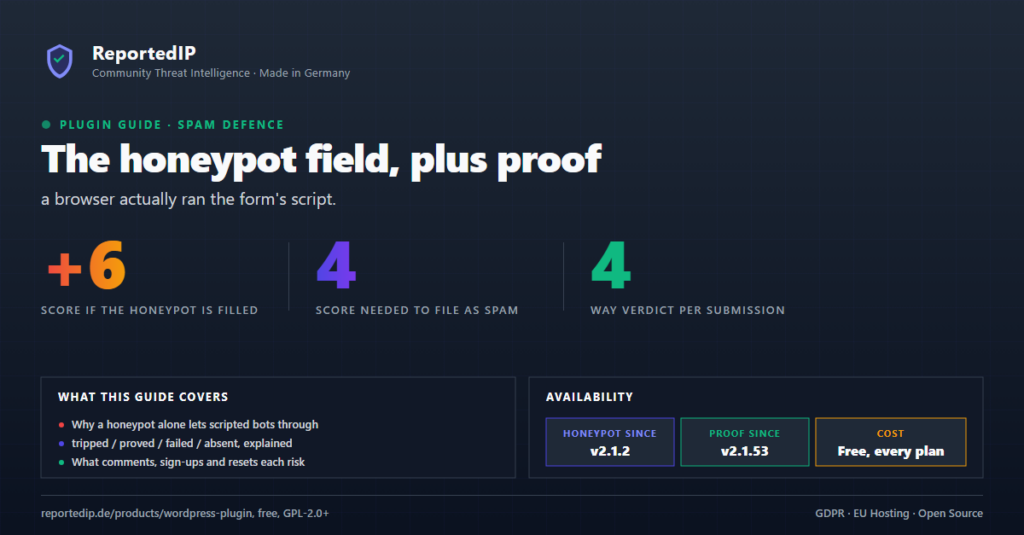
A WordPress form honeypot catches spam bots with a field that people never see and bots always fill, and ReportedIP Hive pairs it with a check that the form was really rendered in a browser. This guide explains both layers, what happens to a refused submission and which forms are covered on which plan, without a single captcha.
What is a form honeypot?
A honeypot is an extra form field hidden from people. It sits off-screen, is skipped by the keyboard, ignored by autofill and hidden from screen readers. A person never touches it. A spam bot that fills every input it finds fills this one too, and that is enough to know the submission did not come from a person.
The advantage over a captcha is that nobody has to solve anything. There is no distorted image, no traffic-light puzzle and no third-party script that tracks visitors. The limit is just as clear: a bot written for one specific site can learn to leave the field empty. That is why Hive does not rely on the honeypot alone.
Why a honeypot alone is not enough
Many spam scripts never load the form at all. They send their data straight to the address that processes comments or sign-ups, for example wp-comments-post.php. Such a script never sees the honeypot, so it cannot fill it, and it passes a check that only looks for a filled field.
Hive therefore adds the Form execution proof. The server puts a hidden anchor field into the form, and a small script in the browser adds a second field whose name is different on every installation. A script that posts directly to the address has never run that code, so the second field is missing. The page stays the same for every visitor, which means page caches keep working.
The four verdicts on every submission
From the two fields, Hive reaches one of four verdicts:
| Verdict | What arrived | What it means |
|---|---|---|
| Proved | Empty honeypot, proof present | A browser rendered the form and a person sent it. |
| Tripped | Honeypot filled | A bot filled every field it found. |
| Failed | Anchor present, proof missing | The page was loaded, but the browser script never ran. |
| Absent | No fields at all | The form had no protection fields, for example from an old cached page or a theme with its own comment markup. |
“Absent” is treated leniently, because it has harmless causes. A theme that writes its own comment form without the usual WordPress hooks is never treated like a bot.
What happens to a refused submission
- Honeypot filled: the submission is refused with “Your submission was not accepted. Please reload the page and try again.” Hive logs it, counts it towards the progressive block ladder right away and, in Community Network mode, reports the address to the community. Whitelisted addresses and users who can edit posts are exempt.
- Proof missing on a comment: the comment is refused with “This form needs JavaScript to be submitted. Switch it on and try again.” The address is logged but never counted or blocked, because a reader with JavaScript switched off is not an attacker.
- Proof missing on sign-up or password reset: the form refuses and says why. The password-reset message also points to another administrator or WP-CLI, for the case that somebody is already locked out.
- Everything else: comments also pass the comment spam filter, which looks at links, names and other signs of spam. What happens to a comment it flags is set with Action on a comment scored as spam: mark as spam (the default), block or off.
Every refusal appears in the Event Log under ReportedIP Hive > Activity, so you can check at any time which address was stopped and why.

Which forms are protected on which plan
| Forms | Plan |
|---|---|
| Comment form, WordPress and WooCommerce sign-up, password reset | Every plan, including Free |
| Contact Form 7 | Every plan, including Free |
| Computation check on top of the proof | Professional and above |
| Gravity Forms, WPForms, Forminator, Formidable Forms, Elementor Forms, Ultimate Member | Business and above |
The computation check closes a gap the plain proof leaves open: a script that reads the field name out of the page and sends it back. With it, the browser has to work out a small signed task from your own site before the form is sent, and each task is accepted only once. The details for each form plugin are in the guides for Gravity Forms and WPForms and Forminator.
How to switch it on
Open ReportedIP Hive > Protection and the card Form Protection. On a new install, Comment honeypot, Form execution proof and the Contact Form 7 switch are already on. The honeypot field only appears in the form while Form execution proof is on, so leave both switched on together.
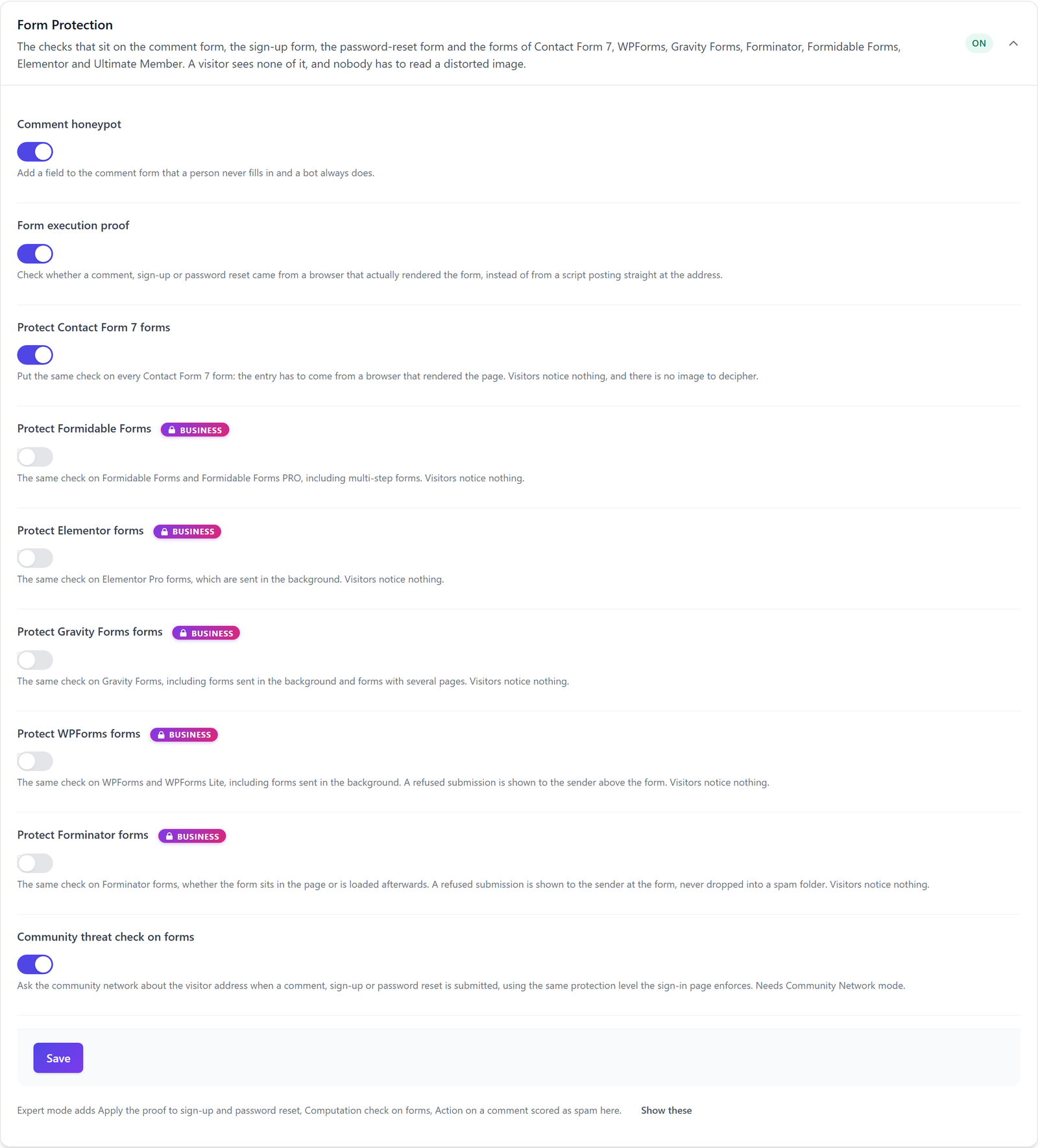
With Expert mode on, the card also shows Apply the proof to sign-up and password reset, Computation check on forms and Action on a comment scored as spam. If you want to watch before you refuse, switch on Report-only mode in the card Blocking & Escalation: Hive then logs every refusal and refuses nothing. To test the protection, Tools > Diagnostics (visible in Expert mode) runs three passes with your own browser, like a visitor, like the same visitor twice and like a bot, without sending a real form.
Accessibility, caching and privacy
The honeypot is built so that no person trips over it. It carries aria-hidden="true", which removes it from screen readers as defined in WAI-ARIA, is taken out of the keyboard order and excluded from autofill, and its hidden label reads “Leave this field empty”.
Nothing request-specific ends up in the HTML, so full-page caches such as WP Rocket, LiteSpeed or a CDN keep serving the same page. The script also measures how long the form was on screen and sends the seconds along; that value is logged with a refusal. There are no cookies, no fingerprinting and no request to a third party. In Local Shield mode nothing leaves your site. In Community Network mode, the address of a bot that filled the honeypot is reported to reportedip.com, and with Community threat check on forms switched on, the visitor address is checked there before a comment, sign-up or password reset is accepted. The privacy guide covers both modes in detail.
Questions about the WordPress form honeypot
Can the honeypot block a real visitor?
A real visitor never sees the honeypot, so a person cannot fill it by accident. The only visitors who notice anything are readers with JavaScript switched off: their comment is refused with a clear message to switch it on. Their address is never counted towards a block, because missing JavaScript alone is not treated as an attack.
Do I still need a captcha with the Hive honeypot?
Most sites no longer need a captcha. The honeypot catches bots that fill every field, the execution proof catches scripts that post directly to the form address, and the computation check on Professional also stops scripts that copy the field names. A captcha still makes sense only for forms that are attacked by people working by hand.
Does the honeypot work with page caching?
The honeypot works with page caching because the form markup is identical for every visitor. The proof field is added by a script in the browser, not by the server, so a cached page stays valid. After a plugin update or when a form plugin switch goes on, Hive gives cached pages a grace period so nobody is refused by an old copy.
Read on
The Hive documentation covers bot detection and comment spam and caching and compatibility in detail. All other features are explained in the ReportedIP Hive plugin guides.