YubiKey 5C NFC for WordPress 2FA: Setup, Internals and Troubleshooting
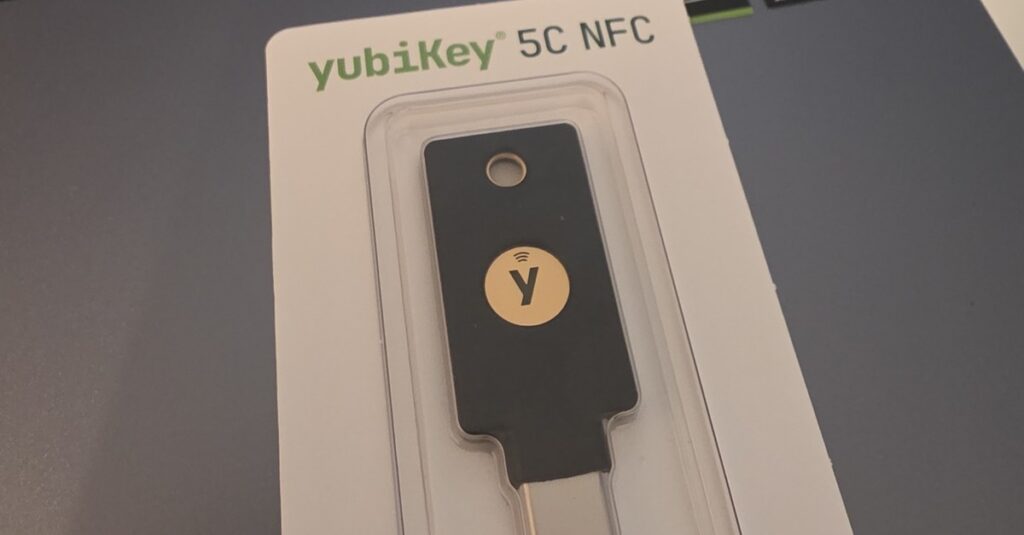
The YubiKey 5C NFC is the hardware key our team signs in with every day, and since Hive 2.1.36 it is an officially supported second factor on every WordPress site running the plugin. This guide covers the hardware, the WebAuthn ceremony behind the login, the exact settings Hive writes, the developer hooks, and the nine errors you will actually meet in production.
The photo above is not a stock image: it is the YubiKey 5C NFC from our own development desk, the reference device behind every Hive release. All version numbers and defaults below are taken from Hive 2.1.57, released 2026-09-15.
What is the YubiKey 5C NFC?
The YubiKey 5C NFC is a hardware authenticator made by Yubico. It holds cryptographic keys in a secure element, signs login challenges when you touch it, and never exposes the private key to the computer. There is no battery, no display and no network connection. It plugs into USB-C or taps against an NFC-enabled phone, which is the combination a WordPress administrator needs: cable on the desktop, tap on the go.
| Connectors | USB-C and NFC (tap-and-go on Android and iOS) |
| Authentication protocols | WebAuthn / FIDO2 (CTAP 1, 2 and 2.1), U2F, PIV smart card, Yubico OTP, OATH-HOTP/TOTP, OpenPGP, static passwords |
| Passkey capacity | 25 discoverable credentials; 100 from firmware 5.7 |
| Signature algorithms | ES256, RS256; Ed25519 (EdDSA) since firmware 5.2.3 |
| Build | IP68 water- and dust-resistant, crush-resistant, no battery, no moving parts; manufactured in Sweden |
Full specifications are on the official Yubico product page; the Ed25519 story starts with Yubico’s firmware 5.2.3 release notes. One practical note on capacity: the 25-credential limit only applies to discoverable credentials (passkeys stored on the key itself). A WordPress second factor set up through Hive does not use one of those slots, which is covered in detail further down.
Why a hardware key beats one-time codes for WordPress admins
Every code-based second factor, authenticator app, email or SMS, shares one weakness: the code can be typed into the wrong page. A phishing site that proxies your real login can relay a TOTP code within its 30-second window, and attackers automate exactly that with off-the-shelf reverse-proxy toolkits. A FIDO2 key is immune to this class of attack by construction: the signature it produces is bound to the origin that requested it, so a credential registered for your real domain produces nothing useful on a look-alike domain. There is no code to steal because there is no code.
| Second factor | Phishing-resistant | Works offline | Typical failure |
|---|---|---|---|
| Authenticator app (TOTP) | No, codes can be relayed | Yes | Phone lost or reset without backup |
| Email code | No | No | Mailbox compromised or mail delayed |
| SMS code | No | No | SIM swap, delivery failures |
| Hardware key (FIDO2) | Yes, origin-bound signatures | Yes | Key lost without a backup key |
The honest caveat sits in the last cell: a lost key with no fallback locks you out. The practical answer is the one Yubico gives. Register two keys, keep one off-site. Hive supports that with a key manager that holds a primary and a backup credential, plus recovery codes and any additional 2FA method as a fallback. Our WordPress 2FA guide compares all four methods in more depth.
How the WebAuthn login ceremony actually works
Understanding the ceremony explains most of the error messages you will ever see, so it is worth 400 words. WebAuthn splits authentication into two ceremonies: registration (the key creates a new key pair) and assertion (the key signs a challenge to prove it still holds the private half).
Registration binds a key pair to one domain
When you register a key, the server sends a 32-byte random challenge, a relying-party ID (the bare hostname, for example example.com) and a list of acceptable signature algorithms. The browser adds the origin it is currently displaying, hashes that together into clientDataJSON, and passes the request to the authenticator. The key generates a fresh key pair scoped to that relying-party ID, keeps the private key inside the secure element, and returns the public key plus a credential ID. The server stores both. Nothing secret ever crosses the wire, and the same key produces a completely different key pair on every site, so two sites cannot correlate their users through the credential.
Assertion proves possession without revealing anything
At login the server sends a new random challenge and the list of credential IDs it knows for that account. The key signs the concatenation of its authenticator data and the SHA-256 hash of clientDataJSON. The server verifies that signature against the stored public key and checks four things: the challenge matches the one it issued, the origin is on its allowlist, the relying-party ID hash matches, and the user-presence flag is set. The signature is worthless on any other domain because the origin is inside the signed payload. That single property is what makes a phishing proxy fail: the attacker can relay the bytes, but the signature carries the attacker’s own domain and the real server rejects it.
What the touch is for
Touching the gold disc sets the user-presence flag. It proves a human is physically at the key rather than malware driving the USB stack silently. It is not identity verification. Identity verification (the UV flag) is a separate step that requires a FIDO2 PIN or a fingerprint, and Hive deliberately does not ask for it by default. The reasoning is in the next section.
How Hive implements WebAuthn on WordPress
Hive ships a self-contained WebAuthn Level 2 verifier in class-two-factor-webauthn.php (1,325 lines) with no Composer dependency. It parses CBOR attestation objects and COSE public keys with stdlib OpenSSL, which keeps the distributed plugin small. The trade-off is documented in the class header: it covers the subset needed for second-factor use and does not validate attestation certificate chains against the FIDO Metadata Service.
That is a deliberate decision, not a gap. Attestation only tells you which model of key was used. The enrolment ceremony already happens after a successful password authentication, so a verified attestation chain adds no meaningful entropy to a second factor. Hive verifies packed attestation statements on a best-effort basis and uses the result for one thing only: the model label in the key manager.
Algorithms offered at registration
Hive offers three COSE algorithms, strongest first: Ed25519 (-8), ES256 (-7) and RS256 (-257). Ed25519 is only put on the list when sodium_crypto_sign_verify_detached() exists on the server, because a credential registered today with an algorithm the server cannot verify tomorrow would be a silent lockout. On PHP 7.2 and newer libsodium is part of core, so most hosts qualify. A YubiKey on firmware 5.2.3 or newer picks Ed25519 from that list, and you can confirm it on your own install: the stored credential reports COSE algorithm −8.
Why userVerification stays on discouraged
Hive sets userVerification: 'discouraged' for both ceremonies, the value Yubico recommends for pure second-factor use. A fresh YubiKey has no FIDO2 PIN set, and preferred or required would push the user into PIN enrolment in the middle of a login. Platform authenticators such as Windows Hello or Touch ID verify the user intrinsically regardless of this value, so nothing is lost there. Sites that want strict two-of-three-factor verification raise it through the reportedip_hive_webauthn_user_verification filter, and the server then enforces the UV flag on every ceremony rather than trusting the client.
Why enrolment does not consume a passkey slot
Registration requests residentKey: 'discouraged'. A discoverable credential (a passkey stored on the key itself) would occupy one of the YubiKey’s 25 slots and force FIDO2-PIN enrolment during setup, for no second-factor benefit: the login flow always supplies allowCredentials, so the key never has to discover anything on its own. The credential lives in the site’s user meta, the key stores nothing, and a single YubiKey can therefore serve an unlimited number of WordPress sites. Credentials enrolled before this change keep working.
Challenge handling and identity binding
Challenges are 32 random bytes held in a transient for 300 seconds and deleted the moment they are consumed, so a replayed response fails on the second attempt. During login the user is not signed in yet, which rules out a normal WordPress nonce. Hive binds identity through the httpOnly cookie reportedip_2fa_token that the authenticate filter sets after the password check, with a 900-second lifetime. The JavaScript never reads that token, which keeps it out of reach of cross-site scripting. Surfaces without that cookie, notably the password-reset gate, receive a separately minted single-purpose ceremony token instead. Neither token replaces the signature: passing it only grants access to the ceremony.
The three challenge surfaces
A security key works on all three places WordPress can ask for a second factor: the wp-login.php challenge, the WooCommerce storefront challenge for customer accounts, and the password-reset gate. The reset gate matters more than it looks. A site that protects the login but leaves password reset open to an email-only second factor has moved the attack rather than removed it, which is why the option reportedip_hive_2fa_password_reset_excluded_methods defaults to excluding email there.
Setting up a YubiKey on your WordPress site with Hive
The free tier includes one security key or passkey per account, with login on all three surfaces. Setup takes about two minutes.
- Install ReportedIP Hive (2.1.36 or newer) and switch on two-factor authentication. Since 2.1.54 that switch sits on the one-page quickstart, and all four methods are permitted by default.
- Open your WordPress profile and find the card titled Security keys & passkeys.
- Name the key first (YubiKey office is a better label than Key 1 when you later have to decide which credential to revoke), then choose Security key (USB / NFC). That button sends the
security-keyhint, which makes Chrome and Edge open the hardware-key dialog directly instead of offering a QR code for a phone first. - Insert the key and touch the gold disc, or hold it flat against the top of your phone for NFC.
- Register a second key as backup, or generate recovery codes as a fallback.
The second button in that card, This device (Face ID / Windows Hello), sends the client-device hint and enrols the platform authenticator instead. Both end up in the same credential list; only the model label and the transport differ.
One detail that saves a support ticket: registration is throttled to ten option requests per user per ten minutes. Testing enrolment repeatedly on a staging site will hit that ceiling, and the message (“Too many registration attempts”) reads like a bug if you do not know the rule.
Which site settings govern security keys
Most sites never touch these, but knowing what exists turns an enforcement rollout from guesswork into a plan. All of them are reachable on the Protection page since 2.1.56, and all of them can be set remotely through MainWP or the cloud fleet transport.
| Option | Default | What it does |
|---|---|---|
2fa_allowed_methods | totp, email, webauthn, sms | Which methods users may set up at all. A method removed here is refused server-side at enrolment, so a key cannot be registered while the method is off and then silently start working when it is switched back on. |
2fa_enforce_roles | administrator | Roles that must have a second factor. |
2fa_enforce_grace_days | 7 | Days an enforced user may sign in before enrolment is mandatory. |
2fa_max_skips | 3 | How often the setup prompt may be postponed after the grace period. |
2fa_enforce_action | enroll | What happens when grace and skips are exhausted. Set to lockout the login is refused, except for administrators and super admins, who are never locked out so a site cannot end up without a usable account. |
2fa_trusted_device_days | 30 | How long a device stays trusted before the second factor is requested again. |
2fa_ip_allowlist | empty | IPs or CIDR blocks that skip the challenge (IPv4 and IPv6). Useful for an office range, risky for anything dynamic. |
2fa_enforce_super_admins | true | Multisite super admins always need a second factor. |
Failed verification attempts escalate per IP on a fixed ladder that is shared across all 2FA methods: 3 failures cost 30 seconds, 5 cost 5 minutes, 10 cost 30 minutes, 15 cost an hour. The WebAuthn endpoints check that ladder before they issue a challenge, so scripted attempts against the assertion endpoint hit the same wall as scripted code guessing.
What the signature counter catches
Every authenticator maintains a counter it increments on each assertion and includes in the signed data. The server stores the last value it saw. If a new assertion arrives with a counter that did not advance, either the key was cloned or its state was rolled back. Hive rejects that sign-in, writes a 2fa_webauthn_counter_regression event at severity high with the user ID, the credential ID and both counter values, and fires an action hook that sends the account owner a mail. This warning is free on every plan.
One exception is built in: many platform passkeys (iCloud Keychain, Google Password Manager) report a constant counter of zero by design, because a synced credential has no single device to count on. Hive treats a stored zero and an asserted zero as normal and only flags a genuine regression. Cloning a YubiKey is not a practical attack, the private key never leaves the secure element, but the check costs nothing and catches the case where a backup of an emulated authenticator is restored.
Planning for the key you will eventually lose
Losing a key is the only realistic failure mode of this setup, so plan it before you need it. Four fallbacks exist, in descending order of comfort.
- A second registered key. The comfortable path, and the reason the Business plan allows multiple credentials per account. Keep the backup somewhere physically separate from the primary.
- Recovery codes. Single-use codes generated during setup. Print them or store them in a password manager, never in the same browser profile you are protecting.
- A second method. TOTP as a parallel factor costs nothing and survives a lost key. It is less phishing-resistant, which is a trade-off you make consciously.
- WP-CLI. A server administrator runs
wp reportedip 2fa reset <user_id>, which removes all 2FA data for that account and writes a warning to the activity log so the reset is auditable.
Hive refuses one specific self-inflicted lockout: deleting your last remaining key when WebAuthn is the only method you have enabled and your role is subject to enforcement. The delete is rejected with a message telling you to set up another method first. Outside that case, removing a credential invalidates it immediately, which is exactly what you do the moment a key goes missing.
Multisite, subdomains and staging: where the relying-party ID bites
The relying-party ID is derived from the host of home_url(). A credential is only valid for that ID, which produces three situations worth knowing before a rollout rather than after.
- Subdomain multisite. A key enrolled on
shop.example.comdoes not work onblog.example.com. Thereportedip_hive_webauthn_rp_idfilter lets a network administrator return the registrable parent domain (example.com) so one enrolment covers the whole network. Set it once, before rollout: changing the RP ID later orphans every credential enrolled under the old value. - Dashboard on a different host. Installs where
site_url()andhome_url()differ are handled automatically, because both hosts are added to the accepted origins. Thereportedip_hive_webauthn_allowed_originsfilter covers anything more exotic. - Staging copies. A database cloned from production carries production credentials whose RP ID does not match the staging host. The assertion fails with an origin or RP-ID mismatch. That is correct behaviour, not a bug. Enrol a separate key on staging, or keep a non-WebAuthn method available there.
A related constraint that catches people on local setups: WebAuthn needs a secure context. HTTPS, or http://localhost. A plain-HTTP staging site on a LAN IP will never show the key dialog, and the browser reports that as a security error rather than as a missing feature.
Nine errors you will actually see, and what they mean
WebAuthn error reporting is deliberately vague in browsers, because detailed errors would leak information about registered credentials. Hive maps the browser exceptions onto actionable text, and the table below maps them back onto causes.
| Message or exception | Cause | Fix |
|---|---|---|
NotAllowedError (“request timed out or was cancelled”) | The ceremony ran past 120 seconds, the dialog was dismissed, or the key was never touched. The most common NFC case: the key was held against the wrong part of the phone. | Retry, and on a phone hold the key flat against the antenna, usually the upper third of the back. |
SecurityError | The page origin does not match the credential’s relying-party ID. Staging clone, subdomain mismatch, or a site reachable on both www and non-www. | Sign in on the canonical host, or set the RP ID filter before rollout. |
InvalidStateError during registration | This key is already enrolled on this account. The server sends the existing credential IDs in excludeCredentials and the authenticator refuses the duplicate. | Nothing to fix. Use the key you already registered, or register a different one. |
AbortError | Another WebAuthn request took over, or the page navigated mid-ceremony. | Retry on a freshly loaded challenge page. |
| “Challenge expired, please start again” | More than 300 seconds passed between opening the dialog and answering it. | Start the ceremony again. |
| “Signature counter anomaly” | The counter did not advance. Cloned or rolled-back authenticator, or a restored emulator image. | Treat as an incident: revoke the credential, enrol a new key, check the activity log. |
| “Too many registration attempts” | Ten enrolment ceremonies started within ten minutes. | Wait a few minutes. Expect this while testing. |
| “Security keys are not available on this site” | The WebAuthn method is switched off in the allowed-methods setting. | Re-enable it on the Protection page. |
| “Multiple security keys per account require the Business plan” | A second credential was attempted on a plan that includes one. | Use recovery codes or a second method as the backup, or compare plans on the pricing page. |
One symptom that is not an error at all: a string of random characters appearing in the password field, usually starting with cccc. That is Yubico OTP. The key typed a one-time password because it was touched while a text field had focus, outside of a WebAuthn ceremony. Clear the field and start the key ceremony from its own button.
NFC on phones: what works and what does not
NFC is the part of the setup that generates the most confusion, because the failure mode is silence rather than an error. Three things decide whether the tap works.
- Position. The antenna is not in the middle of the phone. On most Android devices it sits in the upper third of the back, on iPhones at the very top edge. Hold the key flat and still for a second or two rather than waving it.
- Cases. Thin plastic is fine. Metal plates for magnetic car mounts, thick battery cases and some wallet cases block the field entirely.
- Time. Waking the phone, finding the key and positioning it regularly takes longer than the WebAuthn default of 60 seconds. Hive raises the ceremony timeout to 120 seconds for exactly this reason, and that value is a constant in the WebAuthn class rather than a setting.
On iOS the browser shows a system sheet asking you to hold the key near the top of the device before the ceremony starts. On Android the prompt varies by Chrome version, and if a phone has NFC switched off in system settings, the browser silently offers the QR-code hybrid flow instead. Switching NFC on in the quick settings is the fix nobody thinks of.
Hooks, filters and WP-CLI for developers
The WebAuthn implementation exposes three filters and three action hooks. The filters shape the ceremony, the actions let you wire key lifecycle events into your own auditing or alerting.
| Hook | Type | Use |
|---|---|---|
reportedip_hive_webauthn_rp_id | filter | Return the registrable parent domain for subdomain multisite. Set once, before rollout. |
reportedip_hive_webauthn_allowed_origins | filter | Add accepted origins for domain-mapped or split-host installs. |
reportedip_hive_webauthn_user_verification | filter | Raise to preferred or required. The UV flag is then enforced server-side on every ceremony. |
reportedip_hive_2fa_webauthn_key_registered | action | Fires with user ID and key name after a credential is stored. |
reportedip_hive_2fa_webauthn_key_removed | action | Fires with user ID and key name after a credential is deleted. |
reportedip_hive_2fa_webauthn_counter_regression | action | Fires with user ID, credential ID and key name when an assertion is rejected for a stale counter. |
On the command line, wp reportedip 2fa status prints every user with their configured methods and whether enforcement applies, which is the fastest way to audit a rollout. wp reportedip 2fa enforce --role=editor adds a role to the enforcement list, and --remove takes it back off. The command that deserves a warning is wp reportedip 2fa enable --method=webauthn: flagging the method for a user who has no credential registered is a lockout, not a setup, so the command refuses unless you pass --force.
Which security keys work with WordPress and Hive?
Any FIDO2/WebAuthn authenticator works. The YubiKey 5 series is what we test with, and the same enrolment flow accepts Security Key by Yubico models, other vendors’ FIDO2 keys, and platform passkeys such as Windows Hello, iCloud Keychain, Google Password Manager, 1Password or Bitwarden.
On the Business plan the key manager names the hardware instead of showing a generic label. That comes from a static AAGUID registry bundled with the plugin: 90 authenticator IDs mapped to 32 model labels, Yubico entries taken from the FIDO Alliance Metadata Service, platform providers from the community AAGUID list. The lookup is display-only and never feeds a policy decision, so an unknown AAGUID simply falls back to the generic label. There is no runtime fetch and no cron job behind it; the list is refreshed when new hardware ships.
If you already use passkeys, the passkey login guide explains how those relate to hardware keys. The short version: a hardware key is a passkey you can hold, lend to no one and leave in a safe.
How we use and test the YubiKey 5C NFC
We did not pick this model for the article. The article exists because we use this model. The YubiKey 5C NFC secures our own accounts, and the same physical key is the release gate for Hive’s WebAuthn support. No version that touches the 2FA path ships until the key has completed enrolment and login on a staging site across five platform and transport combinations: Windows 11 with Chrome and with Edge over USB-C, Android Chrome and iPhone Safari over NFC tap, and macOS Safari over USB-C. The matrix also checks that a second key registers cleanly, that a foreign key is rejected, and that cancelling a ceremony and retrying recovers without a page reload.
Automated coverage runs in CI through Playwright and the Chromium virtual authenticator on every build. It catches protocol regressions quickly and cheaply, and it is blind to everything physical: NFC positioning, real signature counters, the feel of a 120-second timeout, and the accidental-touch case where a YubiKey types its one-time password into a form because someone brushed it mid-session. That gap between emulation and hardware is why a physical key stays in the release process.
A rollout plan for a team
Moving a whole editorial team to hardware keys fails in predictable ways. This sequence avoids most of them.
- Buy two keys per privileged account. A rollout with a single key per person creates a support queue three months later when the first one goes through a washing machine.
- Enrol your own account first and sign out completely. Verify the login works in a private window before touching anyone else’s account.
- Enforce one role at a time, starting with administrators. The default grace period of 7 days plus 3 skips gives people two real chances to enrol without a help-desk ticket.
- Keep a non-WebAuthn fallback active during the rollout. TOTP costs nothing and prevents the one scenario that damages trust in the whole project: an editor locked out on deadline.
- Audit with
wp reportedip 2fa statusbefore you tighten2fa_enforce_actiontolockout. The command shows who is still missing a method. - Write down where the backup keys are. A backup key nobody can find is not a backup.
Frequently asked questions
What happens if I lose my YubiKey?
You sign in with your backup: a second registered key, recovery codes, or any other active 2FA method. Then remove the lost key from your profile, which invalidates its credential immediately. If no fallback exists, a site administrator resets 2FA for the account with wp reportedip 2fa reset <user_id>, and that reset is written to the activity log.
Does the YubiKey 5C NFC work with my phone?
Yes. On Android and iPhone you hold the key flat against the NFC antenna, usually the upper third of the back or the top edge, when the browser prompts for it. Hive’s 120-second ceremony timeout exists precisely because finding the position takes a moment. Thick or metal-backed cases block the field.
Do I need a paid plan to use a YubiKey with Hive?
No. One security key or passkey per account is free on every plan, including login on all three challenge surfaces, rename and delete, and the cloned-key warning mail. The Business plan adds multiple keys per account, automatic model detection and key-lifecycle alerts.
Does enrolling a WordPress site use up one of the key’s 25 passkey slots?
No. Hive registers a non-discoverable credential, so the key stores nothing and the slot count is untouched. One YubiKey can secure an unlimited number of WordPress sites this way.
Will my key work on a staging copy of the site?
Not with credentials cloned from production. A credential is bound to the relying-party ID derived from the site host, so a staging domain rejects it with an origin or RP-ID mismatch. Enrol a separate key on staging, or keep another 2FA method enabled there.
Do I have to set a FIDO2 PIN?
Not for second-factor use. Hive requests userVerification: 'discouraged', so a fresh key never triggers PIN enrolment during login. Sites that want the key itself to verify the user raise the policy through the reportedip_hive_webauthn_user_verification filter.
Is a hardware key better than a passkey in my password manager?
Both are phishing-resistant. The difference is custody: a synced passkey is as safe as the account it syncs through, while a hardware key’s private key physically cannot leave the device. For a WordPress administrator account, a target worth attacking deliberately, we use hardware keys and keep a synced passkey as a convenience fallback.
Can I use one key for several WordPress sites?
Yes, and there is no practical limit. Each site generates its own key pair scoped to its own domain, and none of those pairs occupy storage on the key.