WordPress Community Threat Intelligence: Local Shield or Community Network
WordPress community threat intelligence means that an address which attacked one protected site is refused at your login before WordPress checks a single password. This guide explains the two operating modes of ReportedIP Hive, the fully local Local Shield and the opt-in Community Network, shows exactly which data leaves your server, and explains what the Hive Pro add-on of the paid plans adds.
What does community threat intelligence mean for WordPress?
Community threat intelligence is shared attacker data. Every protected site reports the addresses that attack it, and every other site checks its visitors against that pool. When one site is hit by a brute-force attack and reports the attacker, thousands of other sites can refuse the same address before its first guess.
The scale makes the difference. Between May and July 2026 the network logged 1.69 million attacks against WordPress sites, as documented in the attack report for that period. On 26 September 2026 the community blacklist held 30,926 addresses, after it passed 30,000 on 21 September. A single site sees one slice of a botnet; the network sees the whole campaign.
Local Shield: protection that stays on your server
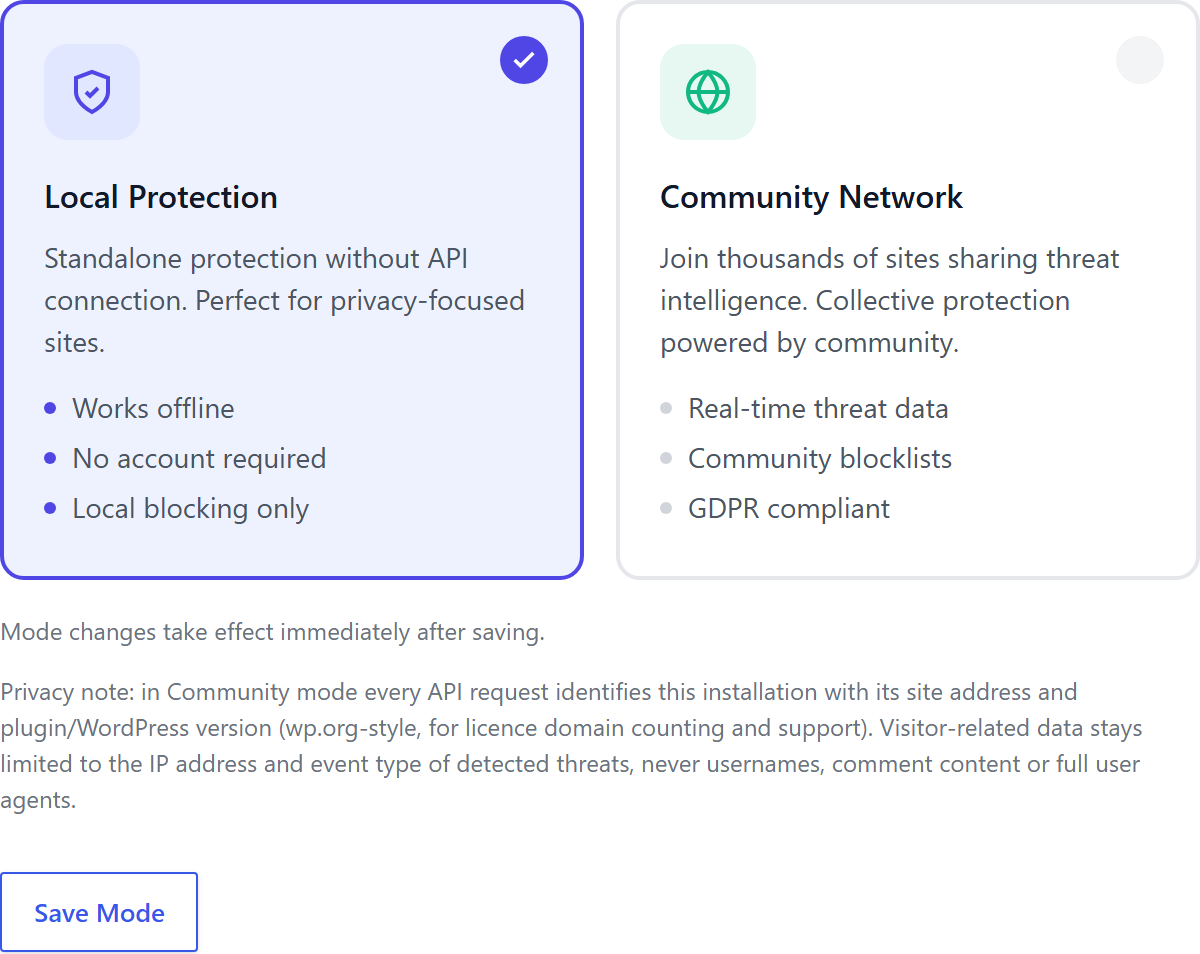
ReportedIP Hive starts in Local Shield mode. In this mode the plugin makes no reputation lookups and sends no reports: every counter, every block decision and every log entry stays on your own server. No account and no key are needed.
Local Shield still includes the 16 attack sensors, two-factor authentication, progressive blocking and the dashboard. Updates come from the WordPress.org plugin directory like for any other plugin, and the plugin sends no request to reportedip.com, even with a key stored.
Community Network: one site’s attacker is everyone’s
Community Network needs a free Community Access Key from reportedip.com and adds two things. Before a login, comment or sign-up is processed, Hive checks the visitor address against the community database. And when a sensor catches an attack, Hive queues an anonymised report and sends it to the network in batches. Answers are cached locally, so the number of requests stays small, and if the service cannot be reached, local protection simply carries on.
In ReportedIP Hive you switch the mode under Community, tab Settings, section Operation Mode, and save it with Save Mode. The key goes into the API Key field that appears in Community mode, and Test Connection checks it. The quickstart offers the same choice on a fresh install.
Check a single address by hand
Under Activity, tab IP Lookup, you can look up any address that appears in your logs. In Community Network mode the lookup shows what the network knows about it, alongside the events your own site recorded. That helps to decide quickly whether a blocked visitor was a real attacker or a false alarm that belongs on the whitelist.
What actually crosses the wire
| Data | Sent in Community Network |
|---|---|
| Attacker IP address | Yes, with the report |
| Threat category of the event | Yes, as a number |
| Short description of the event | Yes, for example the number of failed logins |
| Site address and plugin version | Yes, to count licensed domains and for support |
| Usernames, also as a hash | No |
| Passwords | No |
| Comment and form content | No |
| Full user agents | No |
| Contact details of your users | No |
The server adds the time of receipt itself. The legal basis for processing attacker addresses is Art. 6(1)(f) GDPR, the legitimate interest in network and information security. The plugin states in its settings what is sent, and community sharing stays opt-in: nothing leaves the server for the network before you choose Community Network.
Which mode fits your site?
- Your site must not share any visitor data: Local Shield. It is a real operating mode, not a trial.
- You want shared reputation: Community Network, with one free Community Access Key.
- You need managed 2FA delivery by e-mail and SMS, two-factor login in the WooCommerce shop or adaptive 2FA policies: a paid plan with the Hive Pro add-on, which runs next to the free plugin. Firewall, two-factor authentication and multisite support are already part of the free plugin.
Modes can be switched at any time. Switching between Local Shield and Community Network only changes whether lookups and reports happen; local counters, blocks and logs stay untouched.
Questions about community threat intelligence
What does the Hive Pro add-on add?
ReportedIP Hive is complete on its own: nothing in it is locked or time-limited. The Professional, Business and Enterprise plans add the Hive Pro add-on, which you download from your reportedip.com dashboard. It brings the managed EU relay for 2FA mails and SMS codes, two-factor login in the WooCommerce shop, adaptive 2FA policies per role and the Hardening Mode during attack waves, and it updates itself from reportedip.com with your Community Access Key.
Does Local Shield send any data to reportedip.com?
In Local Shield mode ReportedIP Hive makes no reputation lookups, sends no reports and makes no request to reportedip.com, so no visitor data leaves your server. Updates come from WordPress.org like for every plugin from the directory. Visitor data only moves after you choose Community Network and enter a key.
Can I switch modes later without losing data?
Switching between Local Shield and Community Network changes only whether lookups and reports happen. Local counters, blocks, logs and the whitelist stay untouched in both directions, so you can try Community Network and go back at any time.
Read on
The Hive documentation explains the operating modes and the plans in detail, and ReportedIP Hive is available in the WordPress.org plugin directory.