ReportedIP Hive 2.1.72: Group Bans and a Five-Tab Protection Page
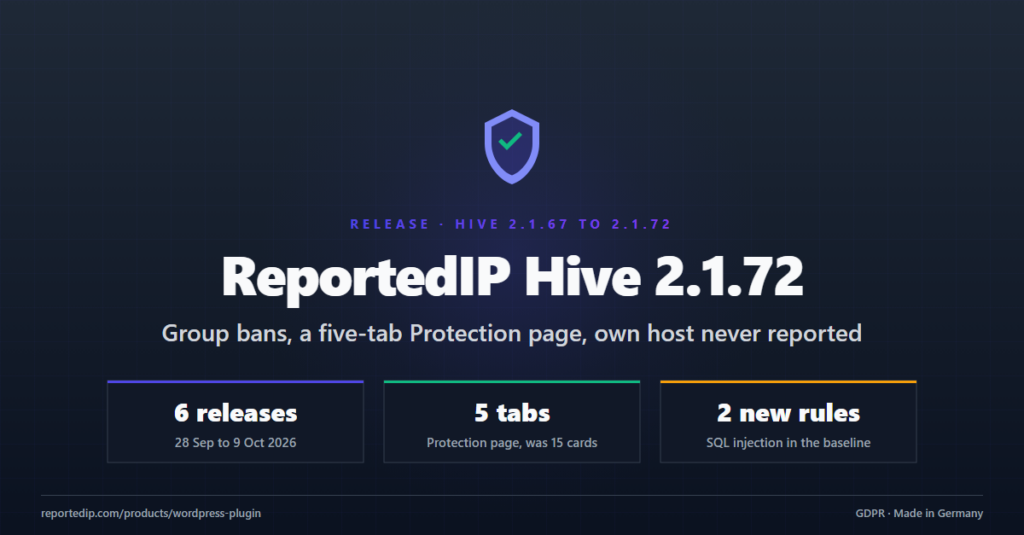
ReportedIP Hive 2.1.72 lets several WordPress sites share their IP bans as a group, rebuilds the Protection page into five tabs and stops a site from reporting the server it runs on. It closes six releases shipped between 28 September and 9 October 2026, with two SQL injection rules that now ship in the offline firewall baseline and more than twenty fixes for Multisite networks, forms and the hidden login.
Update from the WordPress admin or download the current ZIP from the Hive product page. The previous release post covered Hive 2.1.66 and the form protection; this post records what changed since.
What changed between Hive 2.1.66 and 2.1.72?
| Release | Date | Main change |
|---|---|---|
| 2.1.67 | 28 September 2026 | Group bans, own host no longer reported, comment form refuses bots |
| 2.1.68 | 29 September 2026 | Two SQL injection rules in the baseline, Priority Sync from Contributor |
| 2.1.69 | 30 September 2026 | Protection page in five tabs, quoted user agents treated as bots |
| 2.1.70 | 2 October 2026 | Quieter fleet fingerprints, Network Admin forms fixed |
| 2.1.71 | 5 October 2026 | Multisite with several domains no longer locks out the admin |
| 2.1.72 | 9 October 2026 | Disposable addresses refused on comments and forms |
How do group bans work in Hive 2.1.67?
A Community Access Key can join a group in your reportedip.com account. Every address one member reports is then blocked on every other member for the ban window of the group. Hive mirrors the group list as blocks of its own type group: an entry is blocked until the expiry the service names and lifted when it leaves the list.
- The whitelist wins. Your own whitelist still beats every group entry, and a block you placed by hand is never touched.
- The group whitelist reaches every member. Addresses and ranges whitelisted for the group land in the whitelist of each site with the origin
Group, for IPv4 and IPv6. - Nothing stale stays behind. When the key leaves the group, the plan no longer covers groups or the site switches to Local Shield, everything the group placed is lifted again.
- Visible where you work. The dashboard shows a group card, and Activity > IP Lists has a Group tab with every listed address, the member that reported it and what this site made of it.
Groups come with the Professional plan and above. Members can be WordPress sites running Hive and Linux servers running the agent, mixed in one group. Setup and screenshots are in the guide Share IP bans across WordPress sites; limits per plan and webhooks are on the Groups documentation page.
Why does a site no longer report its own server?
wp-cron, REST self-requests and cache preloads arrive from the public address of the host itself, which looks like an outside visitor. Five sensors report directly and skipped the check for that address, so sites were seen reporting the public IPv6 of the server they run on. That spent the report budget of the account and put the server on the community list other sites read.
Since 2.1.67 the boundary sits in the two places every decision passes: the report queue and the block call, next to the checks for private addresses and the whitelist. A host also remembers its address in both families, IPv4 and IPv6, the first time it answers on each. A block you place by hand still works.
What does the new Protection page look like?
Since 2.1.69 the Protection page has five tabs instead of fifteen cards: Core protection, Forms, Firewall & Bots, Advanced and Operations, each with a status pill. A switch is one row with a plain sentence on the left and the toggle on the right. A switch your plan does not include names the plan instead of showing a greyed-out toggle.
- Expert settings of every area sit behind Show technical details; expert mode opens them by default.
- Each tab has one Save changes and one Restore defaults, which writes the recommendation for your plan.
- A Check protection button next to the status banner runs the setup check again and counts the open issues and hints.
- 2.1.72 folds Extended Protection into one card with one status badge and one button.
The settings registry, the remote schema for MainWP and the cloud fleet, and every link into the page stayed the same. The hardening checklist walks through the switches in order.
Which firewall and spam rules got stricter?
Two SQL injection rules joined the offline baseline
Error-based injection reads data out of the database error message through EXTRACTVALUE() or UPDATEXML(), and a second-order injection rides the trackback body and fires later. Both rules used to arrive only through Rule Sync. Since 2.1.68 they ship in the bundled baseline, so a site in Local Shield mode is covered too, in the in-WordPress engine and in the pre-WordPress guard. The attack class is described in the OWASP SQL injection entry.
Priority Sync starts with the Contributor plan
Contributor now receives the Paranoia Level 2 WAF ruleset and the bot IP-range feeds, refreshed weekly. Level 3 and the daily refresh stay with Professional. The engine enforces the ceiling itself, so a downgrade drops back to the baseline level at once.
The comment form refuses a bot like every other form
A comment from a client that never ran the page script used to gain a few spam points and could still reach the moderation queue. Since 2.1.67 it is refused at the door with the same wording and log line as the sign-up form and the six form plugins. A link in the comment text now counts like a link in the website field: measured against 349 real spam comments, the hit rate against bots that pass the script check rose from 42 to 50 per cent.
Quoted user agents and disposable addresses
No browser wraps its user agent in quotes, a misconfigured headless client does. Since 2.1.69 such a submission is refused, blocked and reported at once, and the new baseline rule waf_ua_quoted stops the same client at both firewall layers. Since 2.1.72 comments and every protected form ask a sender with a disposable mail address for a permanent one; the setting offers Block, Monitor and Off, with Block as the default.
What changes for Multisite networks and managed fleets?
- Several domains, one admin. With Hide Login on, an admin who followed My Sites to another domain of the network hit the block page. Since 2.1.71 such links point to that domain’s login with the admin page as
redirect_to. - Network Admin forms work. WordPress ships no
admin-post.phpfor the network, so notice dismissals, group sync and 2FA actions answered 404. Fixed in 2.1.70, and saving the Protection page there lands back in the Network Admin since 2.1.69. - No false drift after an update. The settings fingerprint reported to MainWP and the reportedip.com fleet now covers only values that differ from their defaults, so a release that adds a setting no longer marks every site as changed.
- Checkbox groups in the dashboards. Roles, 2FA methods and audit trigger groups render as checkboxes in MainWP and the fleet instead of a raw JSON field.
Both management paths are described in the MainWP section and the Multisite section of the Hive documentation.
Which bugs did the six releases fix?
- A verified crawler is no longer blocked for a scanner path. An address proven by the published range of the crawler or by forward-confirmed reverse DNS (FCrDNS) keeps its exemption. A user agent alone still does not (2.1.72).
- A form left open for a long time is accepted. The page script now renews its answer before it runs out, when the tab comes back into view and at the moment of sending (2.1.72).
- Bulk actions work after a filter. Deleting or retrying queue items, logs, blocks or whitelist entries did nothing after filtering (2.1.72).
- The hidden login shows the real error again. An expired session or a blocked cookie no longer reads as “Invalid credentials.” (2.1.67).
- An expired session no longer locks out an office. A signed-out visit to wp-admin is still refused and logged, but it no longer feeds the block ladder (2.1.67).
- Hide Login and its slug can be switched on together. Values are now written before switches on every channel, MainWP and the fleet included (2.1.69).
- Mail footers name the site by its address. A link text that names something other than its target is a phishing signal for Microsoft 365 and Gmail (2.1.72).
- Installations are counted on wordpress.org again. Updates still come from the ReportedIP release channel only (2.1.70).
The audit trail also follows the Log user agents switch since 2.1.68, which is off by default, as the security log always did. The GDPR section lists what Hive stores.
Questions about Hive 2.1.72
Which plan includes group bans in Hive?
Group bans need the Professional plan or above. A key on a lower plan gets one notice, and the sync keeps asking, so an upgrade needs no further action on the site. A key in no group sees no change at all. Once the plan covers groups and the key is in none, the dashboard shows a next step that links to the Groups section of your account.
Do my Protection settings change with the new five-tab page?
Your stored settings stay exactly as they were. The five-tab page reads and writes the same registry as the old cards, and MainWP and the cloud fleet use the same remote schema. Only Restore defaults writes new values, and only for the tab where you click it. One new setting arrives switched on: since 2.1.72 disposable mail addresses are refused on comments and protected forms, set on the Forms tab.
What should I check after updating to 2.1.72?
Open the Protection page and click Check protection to see the open issues. On the Forms tab, decide how disposable mail addresses should be handled; Block is the default. If several of your sites share attackers, create a group in your account and add their keys.
Read on
- Group bans in Hive
- Firewall and rule delivery
- Bots, disposable mail and comment spam
- Features on each plan
Running Linux servers next to WordPress? The Linux Agent 0.3.48 release brings the same groups to the kernel firewall. Earlier Hive releases: Hive 2.1.62 with the audit trail and Hive 2.1.57 with the rebuilt admin.
Protect your WordPress site with community threat data, two-factor login and a two-layer firewall.