Skip to main contentSkip to footer
WordPress Security Plugin · Multi-Site · Made in Germany

ReportedIP Hive: stop brute-force attacks before they reach WordPress

Real-time IP reputation from a community threat network, sixteen attack sensors incl. a Web Application Firewall and four-method two-factor authentication. Open-source core, EU-hosted relay, GDPR-ready DPA, built and operated in Germany.

The plugin itself is free: full local protection, no signup, no account. Paid plans add the managed relay. Compare plans

Version 2.1.62PHP 8.1+ · WP 5.9–7.0EU-hosted relay · DPA included
Open source · GPL-2.0No telemetryEU-only mail & SMS · DPAMade in GermanyVersion 2.1.62
Full capability list

Everything Hive does, on one screen

One plugin, no second subscription. The detection and identity core is free and GPL-2.0 in every mode; paid plans add managed relays, fleet management and a handful of advanced modules on top. Nothing below is a teaser for a capability that turns out to be locked.

Plan labels mark the lowest plan that includes the capability.

The sixteen sensors

Every surface an attacker actually uses has its own sensor, its own threshold and its own off switch. This is the complete list the plugin ships with, in the plugin's own order. None of them needs the community network to work.

16
  • Failed logins Free Brute-force tracking across wp-login, REST and XML-RPC.
  • Password spray Free Catches one address cycling through many usernames.
  • Comment spam Free Automated comment submissions, scored rather than guessed.
  • XML-RPC abuse Free Multicall amplification and repeated user listing, each tracked separately.
  • Application-password abuse Free Basic-auth bypass attempts against REST and XML-RPC.
  • REST API rate limit Free Global and sensitive-route caps, with signed-in users exempt.
  • User enumeration defence Free Author probes, the users endpoint, oEmbed disclosure and login-error masking.
  • Scanner and 404 detection Free Counts missed paths, and refuses at once on a known-bad one.
  • Web Application Firewall Free SQL injection, XSS, path traversal, command injection and LFI wrappers.
  • Verified bot detection Free Real crawlers confirmed by official ranges and reverse DNS; spoofers flagged.
  • Registration defence Free Throwaway domains, reserved names, mail rules and a per-address sign-up limit.
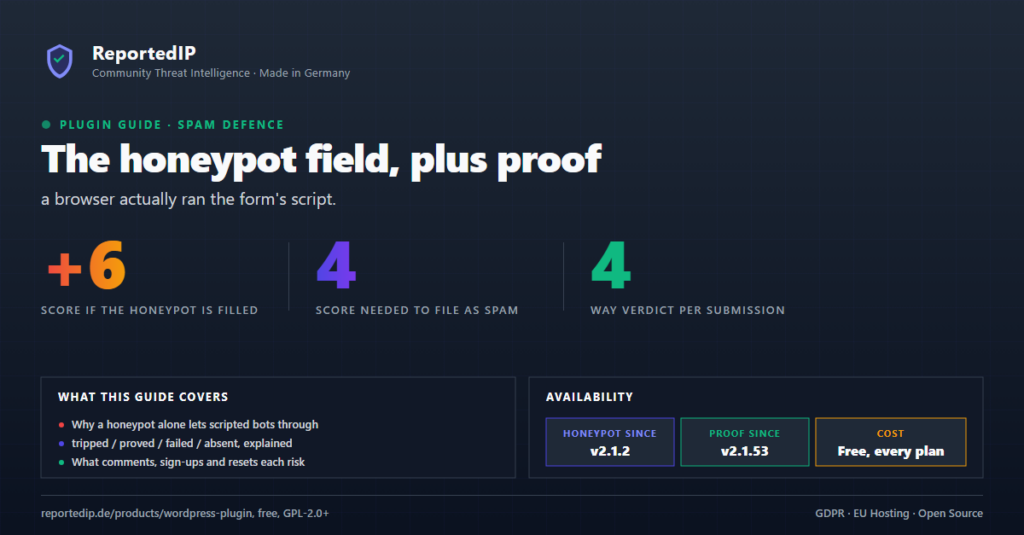
  • Form execution proof Free Checks that a browser really rendered the form. No captcha, no extra step.
  • Community check on forms Free An address the site would refuse a sign-in to cannot post a comment instead.
  • Geographic anomaly Free A sign-in from a country never seen for that account asks for 2FA again.
  • Password policy Free Length and character classes, with an optional breach check by k-anonymity.
  • WooCommerce sign-in Free My-account and checkout forms counted separately from wp-login.

Read the detail How the sensors work Inside the firewall

What happens when a sensor fires

Detection is only half of it. What separates a security plugin you keep from one you uninstall is what it does to the visitor who tripped a sensor by accident.

8
  • Progressive blocking Free A first offence costs minutes, a persistent one costs days. No blanket bans.
  • Report-only mode Free Every sensor can log what it would have done and refuse nothing.
  • Whitelist and exemptions Free Addresses, ranges and your own server are never counted against you.
  • Consent endpoints exempt Free Real Cookie Banner, Complianz, Borlabs and CookieYes bypass the rate limit.
  • Verified crawlers spared Free A confirmed search engine is never blocked by a rate trigger.
  • Cache-plugin safe Free No cache layer can store the refusal page or serve it to a real visitor.
  • Hardening Mode Professional A coordinated attack tightens thresholds site-wide for an hour, then releases.
  • Tor exit-node blocking Professional Optional, from a signed list refreshed twice a day. These blocks are never reported to the community.

Read the detail Progressive IP blocking Hardening Mode

Closing the doors you never use

WordPress ships with entrances most sites never walk through, and every scanner tries them first. Each switch below is off until you set it, and reversible from the same screen.

12
  • REST API lockdown Free Signed-in only, or restricted to chosen roles and namespaces.
  • XML-RPC and pingback off Free One switch for the protocol most sites never call.
  • RSS and Atom feeds closed Free The feed endpoints, for sites that do not publish them.
  • Admin area closed to visitors Free Signed-out visitors get nothing back from the admin area.
  • No PHP in uploads Free Execution in the uploads folder blocked at the server level.
  • Version fingerprints removed Free The generator tags that tell a scanner what to try next.
  • Hidden login address Free Move the sign-in page and log what still asks for the old one.
  • Basic security headers Free Content-type options, frame options and referrer policy.
  • Advanced headers Professional HSTS, Permissions-Policy, a report-first CSP builder and cross-origin isolation.
  • Pre-WordPress drop-in Free Optional blocking before WordPress loads, with Apache and nginx config.
  • OWASP baseline ruleset Free Paranoia level 1 included, ReDoS-hardened and fail-open by design.
  • Deep rulesets via Priority Sync Professional Signed level 2 and 3 rules, refreshed as they are published.

Read the detail Inside the firewall

Two-factor and identity

Four second factors, three of them free and working offline. The reset flow is covered as well, because an attacker who owns a mailbox does not need the password.

14
  • Authenticator apps Free RFC 6238 TOTP, secrets encrypted at rest.
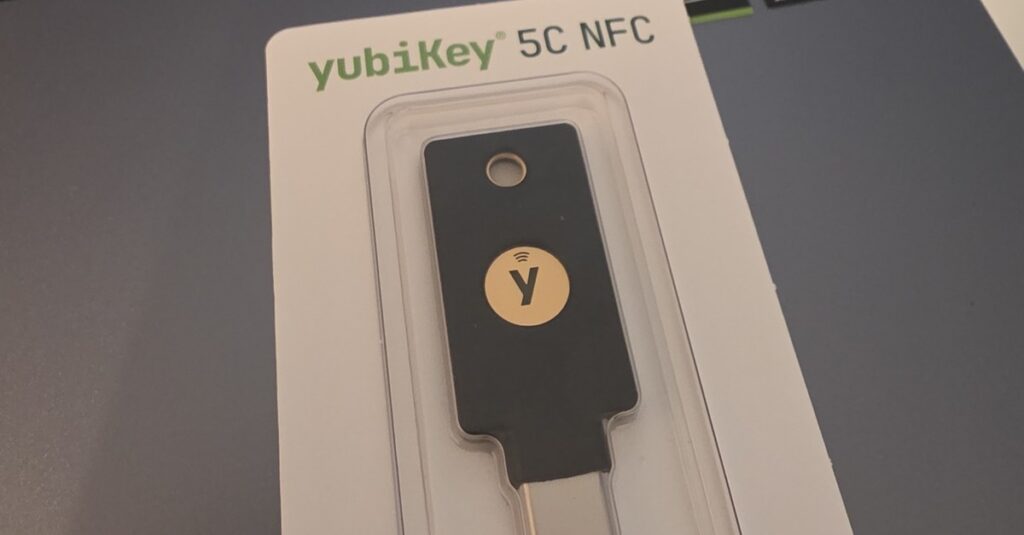
  • Passkeys and WebAuthn Free Face ID, Touch ID, Windows Hello and FIDO2 keys. Phishing-resistant.
  • Email codes Free Six digits, short validity, rate-limited on send and on verify.
  • SMS codes Professional Worldwide delivery through the managed relay, with no mobile network contract of your own.
  • Recovery codes Free Ten single-use codes, stored as hashes, with a warning before the last ones are used.
  • Password reset behind 2FA Free A second factor before a new password is accepted. Email cannot be that factor.
  • Trusted devices Free Named, expiring, listed with last use, revoked automatically on a country change.
  • Enforcement per role Free Require 2FA for chosen roles, with a grace period and a limited number of skips.
  • Users manage their own methods Free Add, remove and reorder second factors from the profile page.
  • Staged rate limiting Free Repeated failures earn longer delays, and eventually a real block.
  • Adaptive step-up challenge Professional Ask for the second factor again on a new country, network or device.
  • Storefront 2FA Professional The challenge renders inside your WooCommerce theme, cart state intact.
  • Multiple security keys Business A primary and a backup key, model detection and lifecycle alerts.
  • Branded login Free Your own wording and mail templates on the second-factor screen.

Read the detail The four methods Passkeys and WebAuthn YubiKey in practice WooCommerce 2FA Managed mail and SMS relay

Form protection and decoys

Spam defence a visitor never notices. There is no puzzle to solve and no image to read. The plugin checks whether a browser actually rendered the form, and whether the address behind it is one the site would refuse a sign-in to.

9
  • Comment, sign-up and reset forms Free The three WordPress forms every site has, covered by default.
  • Form API for your own forms Free Three calls are enough to let a hand-built form drop its captcha.
  • Contact Form 7 and Ultimate Member Professional One switch for each plugin, with the sign-up rules included.
  • Formidable and Elementor Business Formidable Forms, Formidable PRO and Elementor PRO forms.
  • Computation check Professional A small sum the browser has to solve, so copying the field name is no longer enough.
  • Decoy paths Free Forty-five bait URLs that exist on no real site. Whoever asks for one is reported.
  • Scanner honeypots Free A request for a known scanner target is refused at once instead of being counted.
  • Self-test under Tools Free Three passes with your own browser prove the protection is really active.
  • Grace period after switching on Free A page cached before the change can never lock a visitor out.

Read the detail Form honeypot Decoy paths

Day-to-day operation

What the plugin gives the person who has to operate it, on one site or on fifty. Everything in this group is reachable from the command line as well as the screen.

14
  • Quickstart on a single page Free Choose the mode, paste the key, switch protection on. The rest is preconfigured for your plan.
  • System readiness register Free Eighteen detectors for the things that usually fail quietly. Each finding names its severity and links to the setting behind it.
  • Detection and hardening scores Free Two gauges, each with a grade and a direct link to every item it scored.
  • Dashboard widget Free Blocked addresses, attacks and the score on the admin front page, network-wide on Multisite.
  • Seven list screens Free Blocked, whitelist, logs, queue, sessions, audit trail and the 2FA grid.
  • Import and export Free CSV in for lists, CSV and JSON out for logs and the full settings backup.
  • Built for Multisite Free Network activation shares one threat state, so one block covers every sub-site.
  • WP-CLI Free Blocks, whitelist, lookups, 2FA and hardening from the shell.
  • Auto-update Free A new version arrives in your dashboard like any other plugin.
  • Multi-site dashboard Professional Every licensed site and its state in one place.
  • Audit event trail Business An append-only record of who changed which setting, plugin, file or account.
  • Account blocking and sessions Business Stop an account from signing in and end its sessions, while its content stays.
  • White-label Business Your logo, your wording, your mail templates.
  • Weekly PDF report Business A security summary you can hand to a client without writing it yourself.

Read the detail Multisite hardening The quickstart

Privacy and operating mode

Hive runs fully offline if you want it to. The community network is a decision you make, not a default you discover later, and every field it sends is documented.

10
  • Local Shield Free No account, no outbound request, every decision made on your own server.
  • Community Network Free Live reputation lookups and anonymised reports, on a free key.
  • Minimal data collection Free No usernames, no comment text and no full user agents, in any report.
  • Retention you decide Free Daily cleanup, anonymisation after a week, thirty days kept by default.
  • Encrypted at rest Free Authenticator seeds and phone numbers sealed with libsodium.
  • Export and erasure requests Free The WordPress privacy tools return real data and carry out a real erasure.
  • Privacy-policy wording Free A ready-to-paste passage covering the modules you actually switched on.
  • Delete on uninstall Free Optional, and it means every table, option and piece of user meta.
  • GDPR export tool Business Answer a data subject request from the dashboard instead of by hand.
  • Open source Free GPL-2.0, public on GitHub, static analysis and tests on every commit.

Read the detail Privacy by default What the network shares

Two operating modes

Default is fully offline. The community network is opt-in and never mandatory.

Local Shield

100 % offline, no account

All 16 sensors and the full 2FA suite run locally on your own server. No external calls, no telemetry, no API key.

  • All 16 detection sensors active
  • 2FA suite: TOTP, Email, WebAuthn (SMS needs the managed relay)
  • Manual whitelist and blocklist management
  • Zero external dependencies

Default after install. Switch any time.

Community Network

Real-time threat intelligence

Pre-auth IP reputation lookups against the public database. Coordinated-attack detection across thousands of sites. Anonymised reports flow back so every attack makes the network smarter.

  • Pre-authentication reputation lookup
  • Coordinated-attack detection
  • Threat feed access (community-driven blacklist)
  • Strictly opt-in, no usernames, no comment content

Free account at reportedip.com required. Free forever.

Password reset, shielded by 2FA: not just login

A stolen mailbox should not be a master key to your WordPress site. Hive wraps the lost-password flow with the same 2FA gate as the login, and the recovery channel (email) is excluded from the eligible methods, because the reset link itself arrives by email.

No email bypass

Email excluded from reset 2FA

A compromised mailbox cannot double as the second factor. The reset link and the 2FA confirmation must arrive on different channels: TOTP, Passkey, SMS or a single-use recovery code.

Defense in depth

Two-stage WordPress hook

Gated twice, once when the reset form loads, once at password_reset. A direct POST against the reset form without a verified token returns WP_Error immediately.

10-minute, single-use token

Bound to user + key + IP

The verified-reset transient is scoped to user ID, the hashed reset key and the hashed client IP. Consumed on first use, expires after 10 minutes.

Shared with login throttle

No separate brute-force surface

Failed reset-challenge attempts feed the same IP throttle that already shields wp-login.php. Optional hard-block for accounts that only have email-2FA, admin notification included.

The lowest price per protected domain

Most security plugins are licensed per single site. Hive is licensed per plan, so the more sites you run, the less each one costs. Every price includes 19 % VAT; Enterprise is quoted net (B2B).

Plan Price Sites € / domain Highlights
Free 0 € 1 0 € All 16 sensors incl. WAF + 2FA, Local Shield
Professional 14.90 €/mo 3 4.97 € Managed mail/SMS relay, Hardening Mode
Business 39 €/mo 15 2.60 € White-label, full WP-CLI, GDPR export
Enterprise from 663 €/mo (net) unlimited Custom AVV, dedicated onboarding

No paywall on the protection

Every sensor and every 2FA method lives in the open-source core and stays free. Paid plans add managed mail/SMS delivery, multi-site licensing and higher API quotas, never the security itself. The relay runs on EU-only sub-processors under signed DPA. Annual billing saves 17 % (149 €/yr Professional, 389 €/yr Business).

How that compares

Competitors license per single site, so their price per domain never drops. List prices as of April 2026, USD converted to euro, gross where a vendor sells to consumers.

Plugin € / domain / month 2FA mail relay SMS 2FA Rules held back on the free tier
ReportedIP Hive Professional 4.97 € Included, 500/month Included, 25/month Nothing held back
ReportedIP Hive Business 2.60 € Included, 2,500/month Included, 75/month Nothing held back
Wordfence Premium 8.30 € No No Firewall rules and malware signatures 30 days late
Solid Security Pro 8.30 € No No Yes
WP 2FA Premium 8.30 € No Only with your own Twilio account Yes
MalCare Pro 11.75 € No No Yes
Patchstack Plus 17.00 € No No Yes

Every vendor named here runs on US infrastructure. Hive stores and processes in the EU under a signed DPA. Read the full Hive and Wordfence comparison.

Pick a plan

The core protection is identical on every tier. Paid plans add managed mail/SMS relay, multi-site licensing and higher API quotas, never the security itself. All prices incl. 19 % VAT.

Plans for every site

The Hive plugin is free and open source forever, and the free tier already includes the public API with 1,000 checks a day. Paid plans add managed 2FA mail and SMS relay, multi-site management, and higher API quotas.

Free

Local protection, free forever

Free
  • Full local Hive plugin, all 16 attack sensors
  • Web Application Firewall (engine + OWASP-Top-10 baseline ruleset)
  • Verified-bot detection, disposable-email blocking, comment honeypot & form execution proof
  • Registration defence (prohibited usernames, e-mail rules, sign-up rate limit)
  • Access lockdown switches (REST, XML-RPC, feeds, PHP in uploads)
  • System readiness register (12 detectors)
  • Basic security headers + protection & hardening score
  • Block-page reference codes & MainWP integration
  • Complete 2FA suite (TOTP, Email, WebAuthn incl. one YubiKey / security key per account)
  • 1,000 API checks / day
  • 50 reports / day
  • 1 domain
  • Community support

Business

Agencies, WooCommerce, white-label

32.42 € / monthincl. 19 % VATbilled yearly: 389.00 €
  • Everything in Professional
  • Covers 15 client sites on one licence 2.60 € per site per month, bundle it into your care plan
  • Book 2 to 20 licences on one bill Quota, 2FA mail, SMS and domains all multiply, up to 15 % volume discount, 20 licences means 300 sites
  • Run every client site from one dashboard One settings policy, per-site overrides, one-click push and drift detection
  • Your brand, not ours White-label quickstart, 2FA pages and mail templates
  • 100,000 API checks and 5,000 reports a day 2,500 2FA mails and 75 SMS a month included
  • WooCommerce end to end White-label templates plus Subscriptions and Memberships audit
  • Proof for your compliance questions Append-only audit trail of logins, password resets and role changes with CSV and JSON export, plus GDPR export tool
  • Backup security keys per user Multiple WebAuthn keys, model detection, key-lifecycle alerts
  • Shut an account out in one click Block the account, end every session and trusted device, and see who is signed in right now
  • Priority support, 12 h SLA
Get Hive Business

14-day money-back guarantee. Cancel anytime.

View pricing

Includes Contributor and Enterprise tiers plus the full feature comparison table.

Running Hive for clients?

Built for freelancers and agencies who secure more than one WordPress site.

  • One licence covers 3 sites (Professional) or 15 sites (Business), not one purchase per client
  • White-label: ship Hive under your own brand, clients never see “ReportedIP” (Business)
  • WP-CLI bulk onboarding plus Settings Import/Export for staging→production
  • Resell managed security at a 2.60 € per-domain cost base

Up and running in under 5 minutes

No Composer, no build step, no external dependencies. The quickstart takes care of the rest.

Download

One file, reportedip-hive.zip. Save it where you can find it again.

Download Hive

Upload & activate

In WP Admin: Plugins → Add New → Upload Plugin. Pick the ZIP, activate. The quickstart opens automatically.

Configure

Pick Local Shield or Community Network. Enable 2FA roles. Done. Auto-updates via the GitHub Plugin Update Checker (PUC v5.6+).

Plugin FAQ

Specific to the WordPress plugin. For platform-wide questions see the general FAQ.

Does it work on multisite (WP Network)?

Yes. Hive activates network-wide and tracks attacks per-site, with optional global blocklist sharing across the network. Multi-site licence (Hive Pro = 3 sites, Business = 15 sites) controls how many independent sites can use the managed mail/SMS relay.

How does the auto-update mechanism work?

Hive looks for a new version every 12 hours and offers it in your WordPress dashboard, exactly like any other plugin. One click and you are up to date. After the first install you never download a file again.

Will it slow down my site?

No. Sensor counters use object cache (Redis when available) with millisecond lookups. Reputation API responses are cached locally with ETag support to save credits. The admin dashboard loads on demand, never on the front-end.

Is it compatible with caching plugins (WP Rocket, W3 Total Cache, LiteSpeed)?

Yes. All plugin admin and login pages are excluded from page cache automatically. Reputation lookups happen server-side before WordPress renders, so cached pages are served untouched. We test against WP Rocket every release.

Can I export the logs / blocked IPs?

Yes. Every list table (Blocked IPs, Whitelist, Logs, API Queue, 2FA Grid) supports CSV and JSON export from the admin UI. WP-CLI commands cover the same operations for automation (full WP-CLI on Business+).

What is paywalled, and what stays free?

The protection is never paywalled: all sixteen sensors are in the open-source core and free forever, on every plan, along with TOTP, email and WebAuthn 2FA; SMS 2FA is delivered over the managed relay on Professional and up. Paid plans (Professional 14.90 €/mo, Business 39 €/mo) add the convenience layer, managed 2FA mail and SMS delivery, multi-site licensing (3 or 15 domains on one licence), higher API quotas, Hardening Mode, white-label and full WP-CLI. All prices incl. 19 % VAT.

Is there a trial or money-back guarantee?

You can run the free edition indefinitely. Paid plans come with a voluntary 14-day money-back guarantee (under § 12 of our Terms, excluding already-consumed SMS or mail bundle credits) and you can cancel any time from the dashboard.

ReportedIP Hive feature guides

In-depth guides to every Hive security feature, attack sensors, the 2FA suite, progressive blocking, threat intelligence and privacy.

Secure every site you run with Hive Pro

Three sites for 14.90 €/mo, managed 2FA delivery, multi-site licensing and Hardening Mode. 14-day money-back, cancel any time.
Open source (GPL-2.0)No telemetryEU-hosted relayMade in Germany